
VIM1S Web Browser — RAM-Only Firefox ESR, Hardware AV1 Streaming & Couch Bookmarks Guide
What Is VIM1S Browser? (Hardware-Accelerated Firefox ESR Inside Disposable RAM)
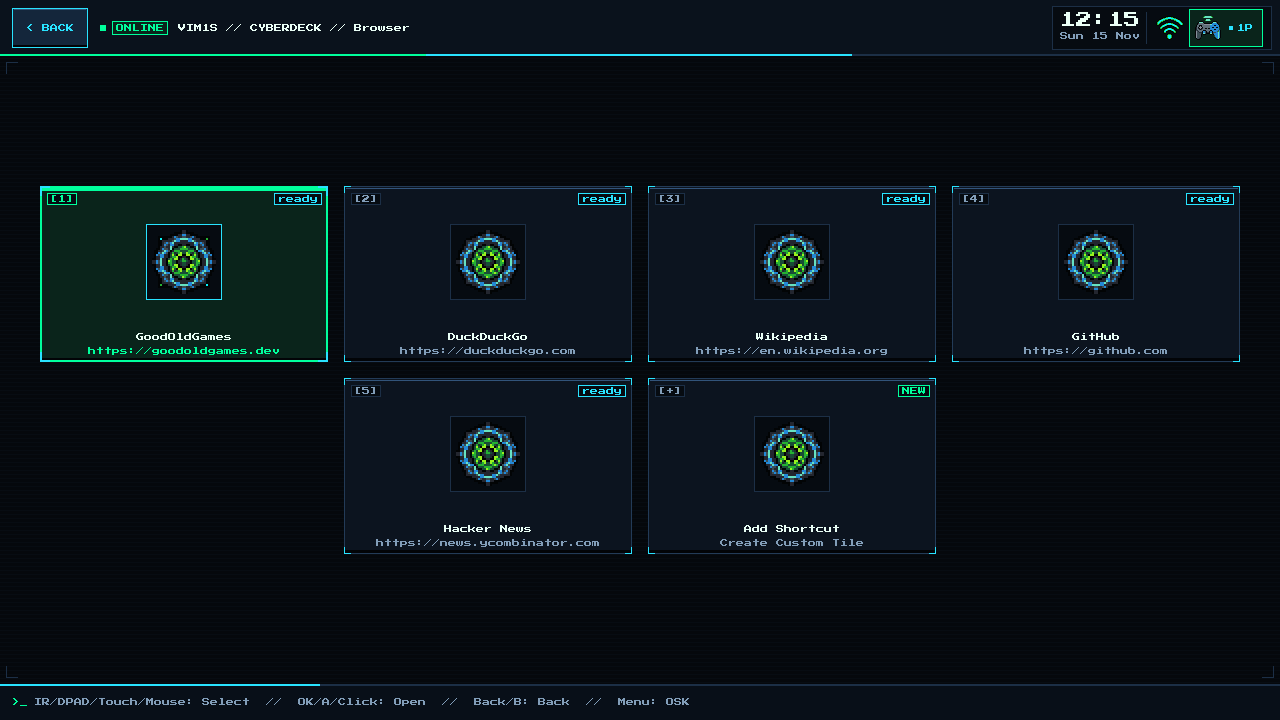
Card [2] Browser on the Khadas VIM1S Console OS launches a uniquely fast and private couch browsing experience (ff-session):
- Zero Cookie & Tracker Accumulation: Firefox ESR itself is stored compressed and read-only, while your active browser profile (
/run/ff-profile) lives 100% in volatileLPDDR4RAM. The moment you close the browser or power off your VIM1S, every tracking cookie, ad cache, and temporary file vanishes completely! - Persistent Shortcut Tiles Under Your Control: Instead of messy browser toolbars, the VIM1S Browser screen shows big, couch-friendly Shortcut Cards (
[+] Add Shortcut). Only the URLs you explicitly save are written atomically tosaves/browser-links.txton your microSD card. - Smooth Hardware
AV1Video & Built-In PDF Reader: Powered by theAmlogic S905Y4hardware video decoder (v4l2-vaapi) andPanfrostGPU (zwp_linux_dmabuf_v1 v4), YouTube and web videos stream smoothly on your TV without taxing the CPU.
Step-by-Step Beginner Guide: Browsing & Adding Bookmarks From the Couch
- Make Sure Wi-Fi Is Connected: First connect your network in VIM1S Wi-Fi.
- Launch a Saved Tile: Open [2] Browser and click or press
A/OK/Enteron any tile to open that site fullscreen in Firefox ESR. - Add Your Favorite Websites (
[+] Add Shortcut):
- Select
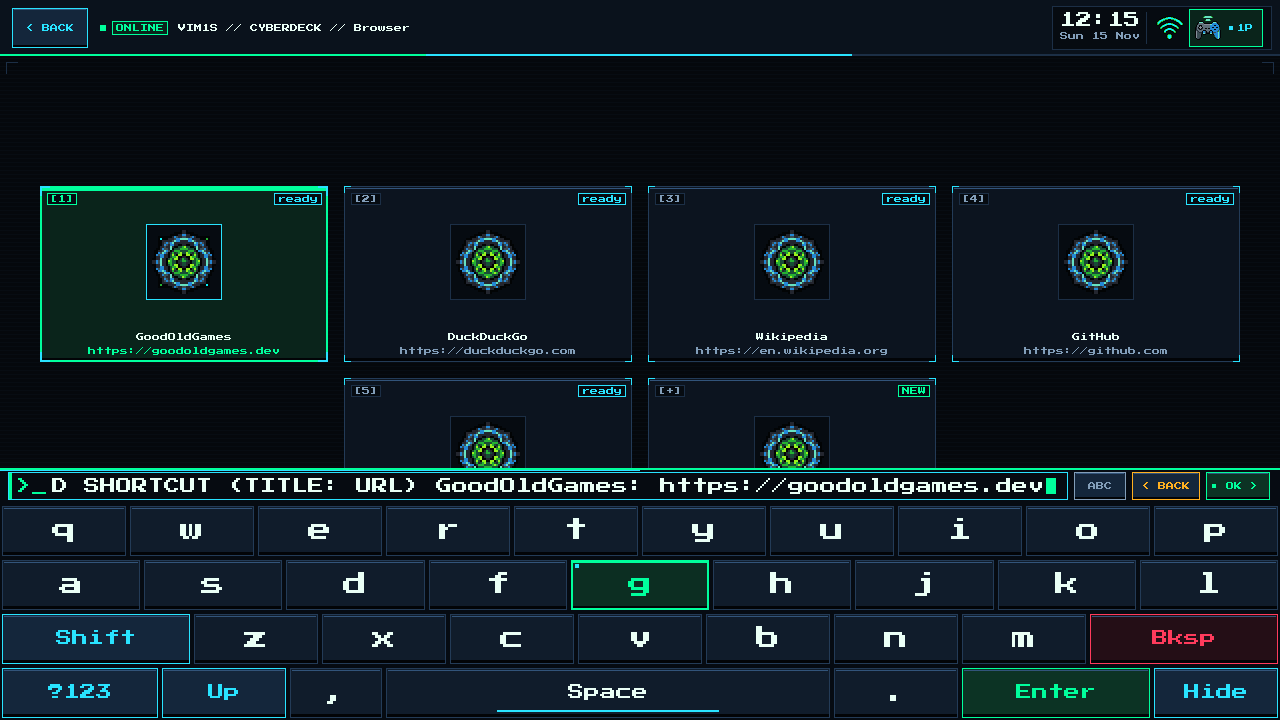
[+] Add Shortcutand type any URL (using a USB/Bluetooth keyboard or the controller On-Screen Keyboard shown below). - Your new tile is saved to your microSD card (
saves/browser-links.txt) so it is ready on every boot!
Controlling the Browser Without a Desk Mouse
- USB / Bluetooth Mouse & Keyboard: Works identically to a desktop PC.
- Khadas IR Remote Mouse Mode: Press the mouse-toggle key on the remote to move the cursor smoothly with directional buttons.
- Gamepad + On-Screen Keyboard (
F1/SELECT): Enter search queries comfortably from the sofa.
Frequently Asked Questions (Beginner FAQ)
- Why is RAM-only browsing safer for beginners?
Even if you visit a site full of aggressive trackers or popups, nothing can persist on the read-only OS or internal flash chips — closing the session gives you a factory-clean browser every single time!
Explore All Khadas VIM1S Programs — Beginner Guides
Every built-in application on the Khadas VIM1S 32 MB SPI RAM-OS runs 100% in LPDDR4 RAM with zero writes to the internal SPI NOR or eMMC chips. Everything you save is written exclusively and atomically to your removable microSD card:
- Khadas VIM1S Console OS Hub & Downloads — Download the
32 MBSPI RAM-OS (9.78 sboot), USB/eMMC image, and step-by-step flashing guide. - VIM1S Retro MIDI Studio — Visual note-based MIDI music editor & chiptune/FM synthesizer with
.mid,.wav,.mml, and.abcmicroSD export. - VIM1S Pure-ASCII Writer — Distraction-free plain-text word processor with Word-style toolbar buttons (no Markdown needed!) and
.txt,.asc,.nfomicroSD export. - VIM1S Games & Couch Launcher — Play retro ROMs and native 64-bit ARM64 strategy ports straight from RAM with crash-safe microSD savegames.
- VIM1S Movies — Hardware AV1 Player — Silent, zero-CPU
1080p60hardware video player forAV1,HEVC/H.265,VP9, andH.264movies on microSD. - VIM1S Email Client — Fast, tracking-free plain-text
IMAP / POP3 / SMTPTLS mail client with attachments and optional AI reply drafting. - VIM1S Personal Profile — Offline microSD identity and automatic signature manager with zero cloud accounts.
- VIM1S Web Browser — RAM-isolated Firefox ESR with hardware
AV1streaming, PDF reader, and couch bookmark tiles. - VIM1S Root Terminal — Built-in Wayland Linux command-line shell with a persistent microSD developer toolchain.
- VIM1S Wi-Fi Setup — Dual-band
2.4 GHz / 5 GHz(AP6256) wireless setup with encrypted0600microSD credential persistence. - VIM1S Bluetooth Pairing — Pair
Bluetooth 5.0gamepads, keyboards, and speakers in seconds. - VIM1S Wireless Screencast — Turn your TV into a low-latency Miracast wireless display receiver for phones and laptops.
- VIM1S Settings & 10 Cyberdeck Themes — Switch
1080p / 720pHDMI modes, HDMI audio, 10 CRT colour palettes, and home screen cards.