
Khadas VIM1S — 32 MB SPI RAM-OS, Retro MIDI Studio, ASCII Writer, AV1 Player & Setup Guide
Downloads — VIM1S 32 MB SPI NOR 100% RAM-OS, USB/eMMC Console OS & Rescue Images
Download the latest Khadas VIM1S (Amlogic S905Y4, quad-core Cortex-A35 @ 2.0 GHz, Mali-G31 MP2 Panfrost, Amlogic S4 Hardware AV1 VDEC, 2 GB LPDDR4) couch-console OS images below. Besides the Launcher itself, the OS now ships a full set of programs — Games, Browser (Firefox ESR), Wi-Fi, Bluetooth, Screencast, Settings (10 colour themes + card toggles), a root Terminal, the Movies hardware-AV1 video player, and the new native Email (IMAP/POP3/SMTP over TLS with attachments & ZCode AI drafting) and Profile apps — plus a live local clock & date with automatic internet timezone sync — see What's Inside below. You can either flash our 32 MB SPI NOR 100% RAM-OS directly into the board's internal SPI flash (booting into LPDDR4 RAM in 9.78 seconds with zero runtime flash writes, 1,750 MiB free RAM, and full hardware AV1 decoding) or boot the USB / microSD / 16 GB eMMC Console OS image from any USB stick:
| Image & Target | Size | Direct Download |
|---|---|---|
VIM1S 32 MB SPI NOR 100% RAM-OS (Recommended) — Boots 100% into LPDDR4 RAM from internal 32 MB SPI NOR (0.89 s Linux-to-UI, 9.78 s cold reset with SD card, 11.45 s pure SPI NOR without SD card, 83.33 MHz Quad-SPI DEVFIP, async Stage-2 dual-band 2.4 / 5 GHz internal-antenna Wi-Fi (AP6256) + Bluetooth 5.0 (BCM4345C5), hardware AV1 VDEC + OP-TEE, zero runtime flash writes) | 24.44 MiB compressed (32.00 MiB raw) | Download SPI RAM-OS (.bin.gz) |
VIM1S USB / microSD / 16 GB eMMC Console OS + SPI Flasher — Bootable disk image for any USB flash drive, microSD card, or 16 GB eMMC (includes the one-command vim1s-flash-spi utility to install the SPI RAM-OS and full hardware AV1 decoder stack) | 21.18 MiB compressed (49.00 MiB raw) | Download Console OS (.img.gz) |
VIM1S Factory 32 MB SPI NOR + OOWOW Rescue — Stock factory SPI NOR flash backup (0x000000 signed U-Boot + 0x200000 Khadas OOWOW recovery system) | 19.40 MiB compressed (32.00 MiB raw) | Download SPI Rescue (.bin.gz) |
SHA-256 Checksums Manifest — Complete checksums for all compressed (.gz) and uncompressed (.bin / .img) images | Text (.txt) | Download SHA-256 (.txt) |
SHA-256 Checksums
vim1s-spi-ram-os.bin.gz(24.44 MiB):
26c303b0ae6517ad00cefb53e5ee392142b56903c388fe5e6792a0c8fe82742d
vim1s-spi-ram-os.bin(32.00 MiBuncompressed):
b7f2cf4a6ea6ccf3d813e5d5244806361433e1a7a0fcf95a9cbb4374540ef8ae
vim1s-console-os.img.gz(21.18 MiB):
4588e98cfeda8cef862825563cd62aa18a3c34bf380e857957c9316a3eaa8412
vim1s-console-os.img(49.00 MiBuncompressed):
c2ad96e106070d9b776fb9797ebe1c3b1f1c4d3fad4dec597177685202bffc84
vim1s-spi-rescue.bin.gz(19.40 MiB):
e1721fd6286235f6b4835b38325441fb9f61549db6f56cc20f8477c4d4d2cbba
vim1s-spi-rescue.bin(32.00 MiBuncompressed):
48bd51e860165d68362bb9d96cdd019168e2f56897168a35d886727f0934008f
What's Inside — Home Screen Programs & Functions
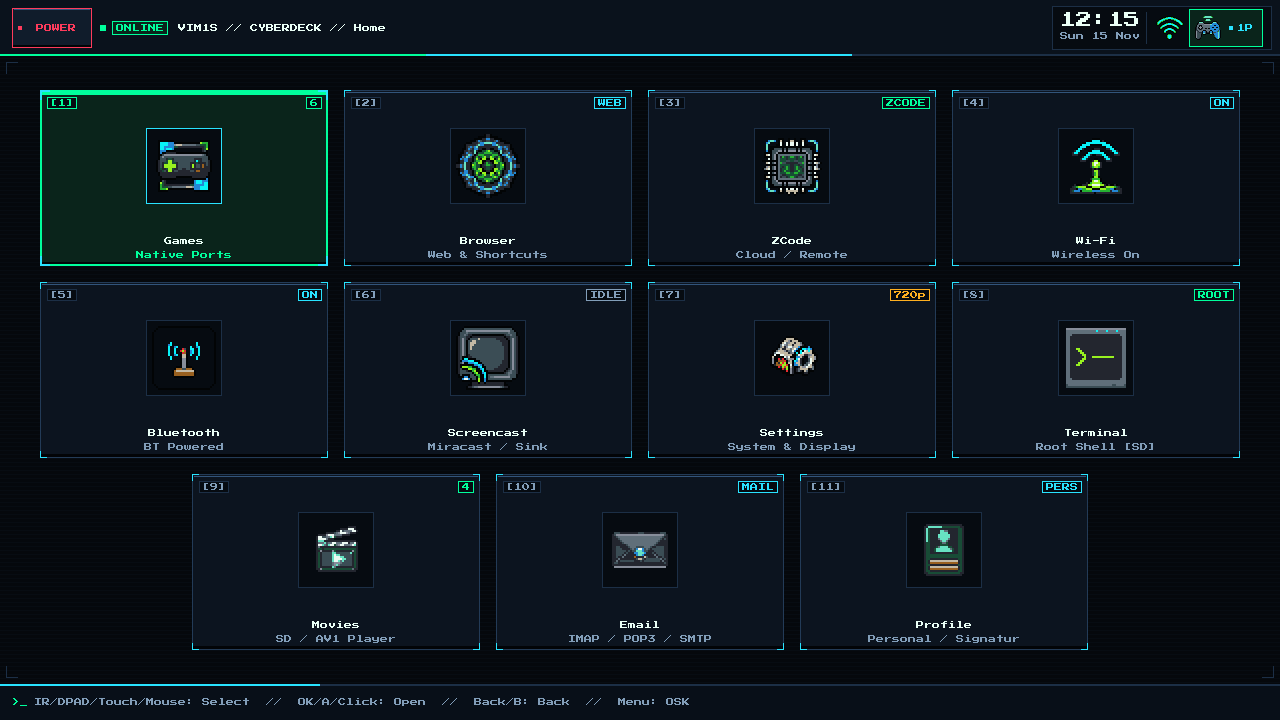
The Cyberdeck Launcher home screen is a grid of numbered cards. Move with a gamepad D-pad, the Khadas IR remote, a USB keyboard, or a mouse/touch pointer (the IR remote also has a mouse mode). Any card can be hidden in Settings. A status cluster in the top-right corner displays a live local clock & date (HH:MM and Day DD Mon, synced automatically over NTP with geo-IP internet timezone detection via /usr/sbin/vim1s-timesync -> /run/vim1s-tz in RAM with zero flash writes — replacing the old decorative battery icon since the VIM1S runs on direct USB-C wall power), Wi-Fi signal bars, and a controller indicator (1P, 2P, …).
| # | Card | What it does |
|---|---|---|
| [1] | Games | Lists native ARM64 game ports and SquashFS app bundles found in games/ on your microSD card (a count badge shows how many). Launch with A / Enter. |
| [2] | Browser | Your own shortcut tiles ([+] Add Shortcut, saved to saves/browser-links.txt on the SD card) that open Firefox ESR in an isolated RAM session with hardware AV1 decoding. |
| [4] | Wi-Fi | Dual-band 2.4 GHz / 5 GHz onboard AP6256 (BCM43456 SDIO wlan0) with the Khadas IPEX/U.FL internal antenna (brcmfmac feature_disable=0x82000 & roamoff=1, plus USB Wi-Fi adapter support), streamed asynchronously in Stage 2 with non-blocking udhcpc and atomic SD credential persistence. |
| [5] | Bluetooth | Onboard Bluetooth 5.0 (BCM4345C5 UART serdev hci0, with automatic external USB Bluetooth dongle priority when plugged in), streamed asynchronously in Stage 2 with timed controller/audio scanning (vim1s-bt-ctl), pairing, and crash-safe .bluetooth.bak SD pairing persistence. |
| [6] | Screencast | Start/stop the Miracast-style screencast sink. |
| [7] | Settings | HDMI mode (Auto, 1920x1080 @ 60Hz, 1280x720 @ 60Hz), HDMI audio on/off, 10 colour themes, and per-card Menu Card: … [ACTIVE] / [HIDDEN] toggles. |
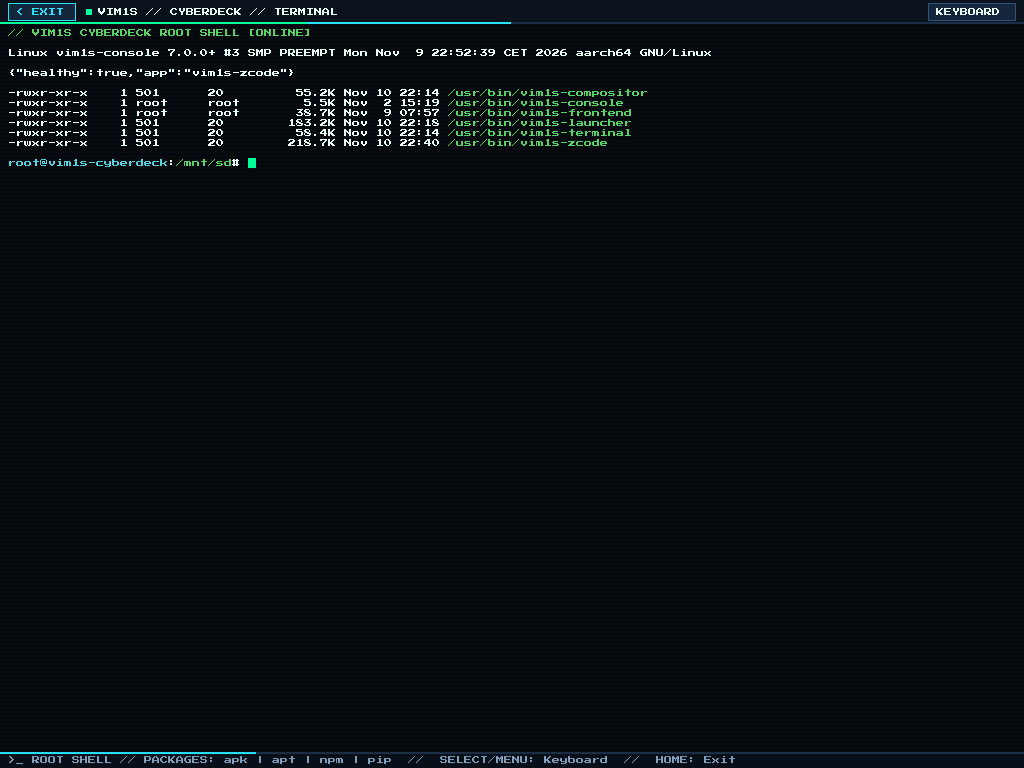
| [8] | Terminal | Fullscreen root shell (VIM1S // Terminal) with persistent apk, npm, pip and the controller On-Screen Keyboard. |
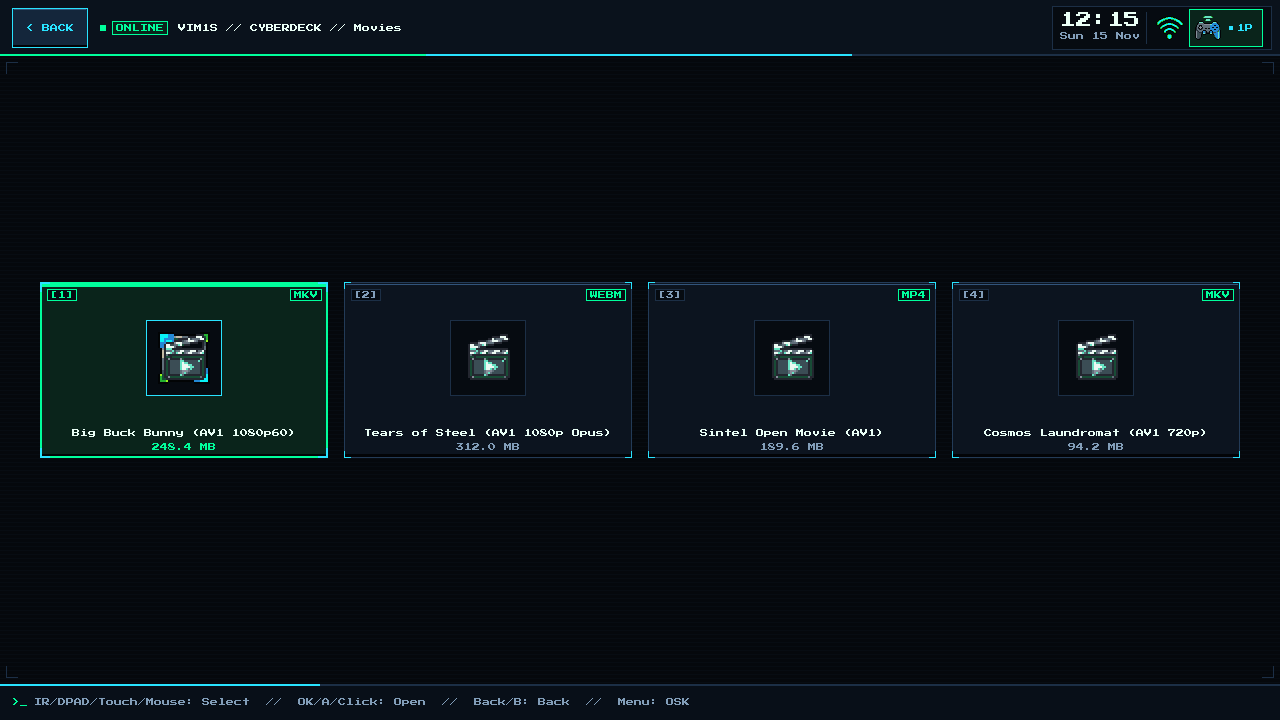
| [9] | Movies | Hardware-AV1 / multi-codec video player (vim1s-video) for the /movies folder on your microSD card — details below. |
| [10] | Email (new) | Native C11/Wayland IMAP / POP3 / SMTP TLS mail client (vim1s-email over BearSSL with Mozilla CA verification): multi-account login (0600 SD-card app-password secrets), folder & inbox view, recursive MIME + attachment decoding, file-explorer attachments, and ZCode AI mail drafting. |
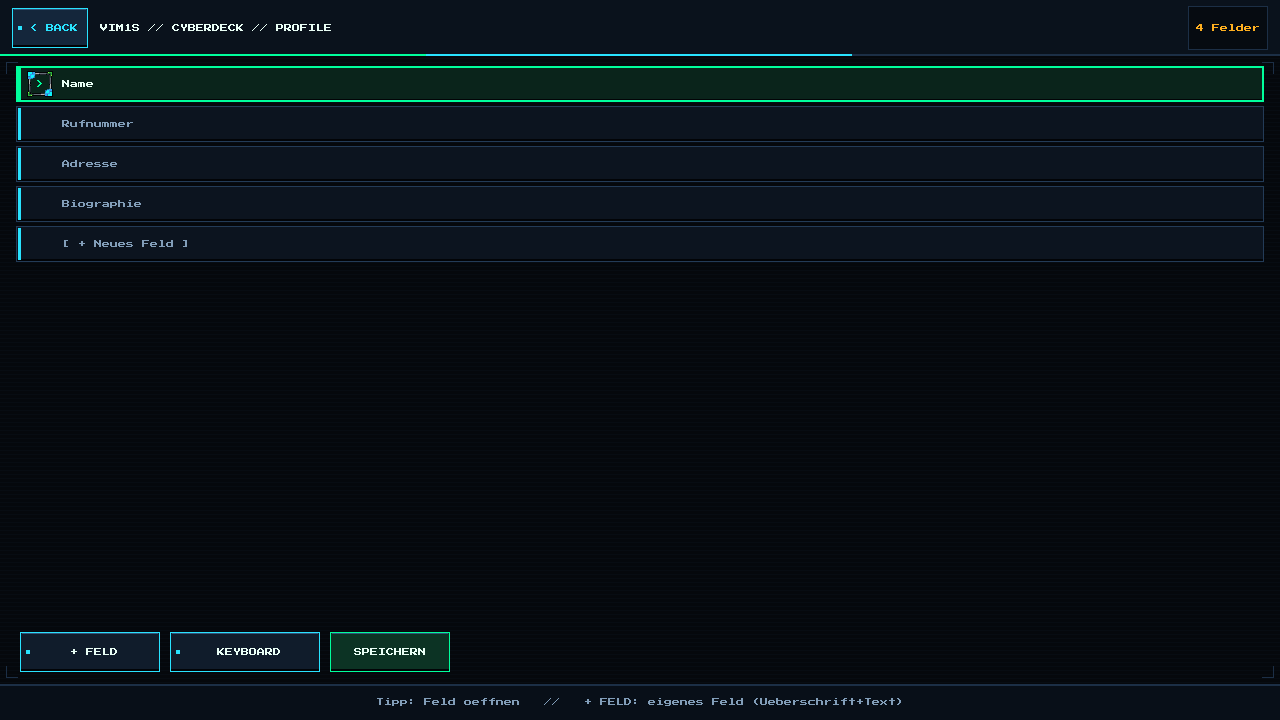
| [11] | Profile (new) | Native C11/Wayland Personal Profile & Signature editor (vim1s-profile): stores your name, phone, address, biography, and custom + Feld blocks strictly on your microSD card (/mnt/saves/profile/profile.conf) and automatically supplies your signature & context when drafting emails with AI. |
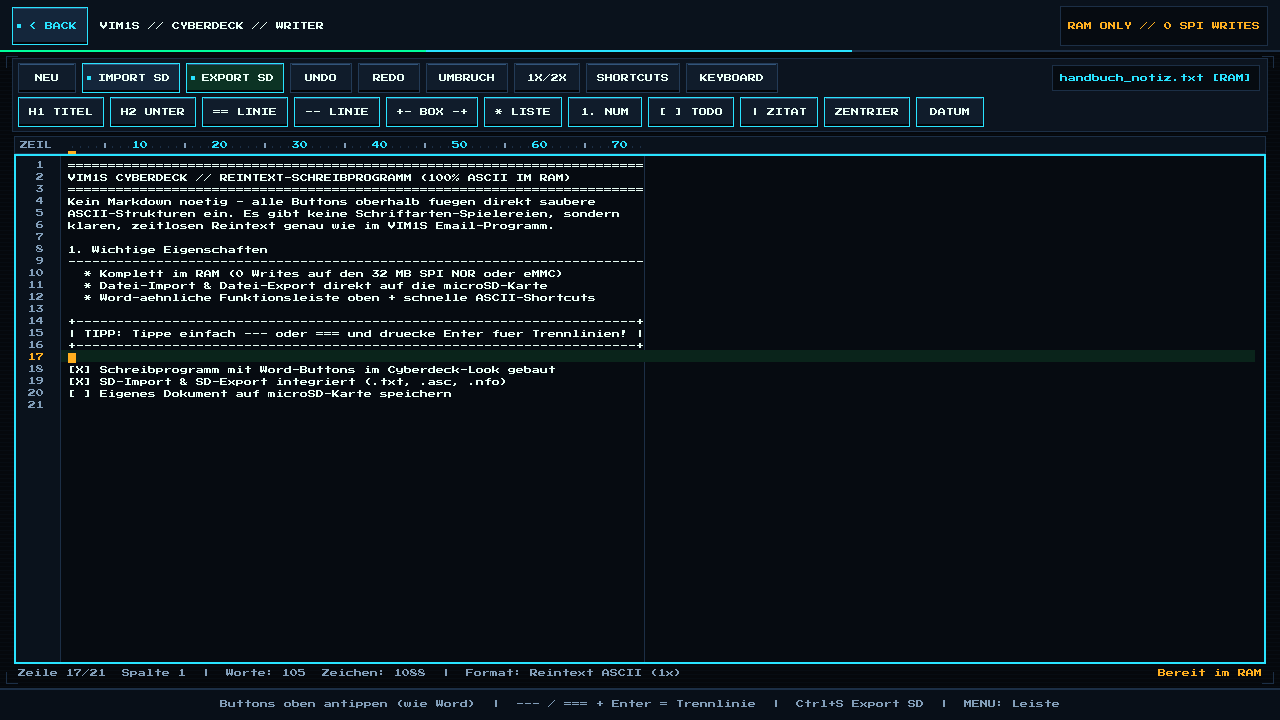
| [12] | Writer (new) | Pure-ASCII plain-text word processor (vim1s-writer) in 100% RAM with Word-style ribbon buttons (headers, divider bars, boxes, lists, todos — zero Markdown needed!) and microSD import/export (.txt, .asc, .nfo). |
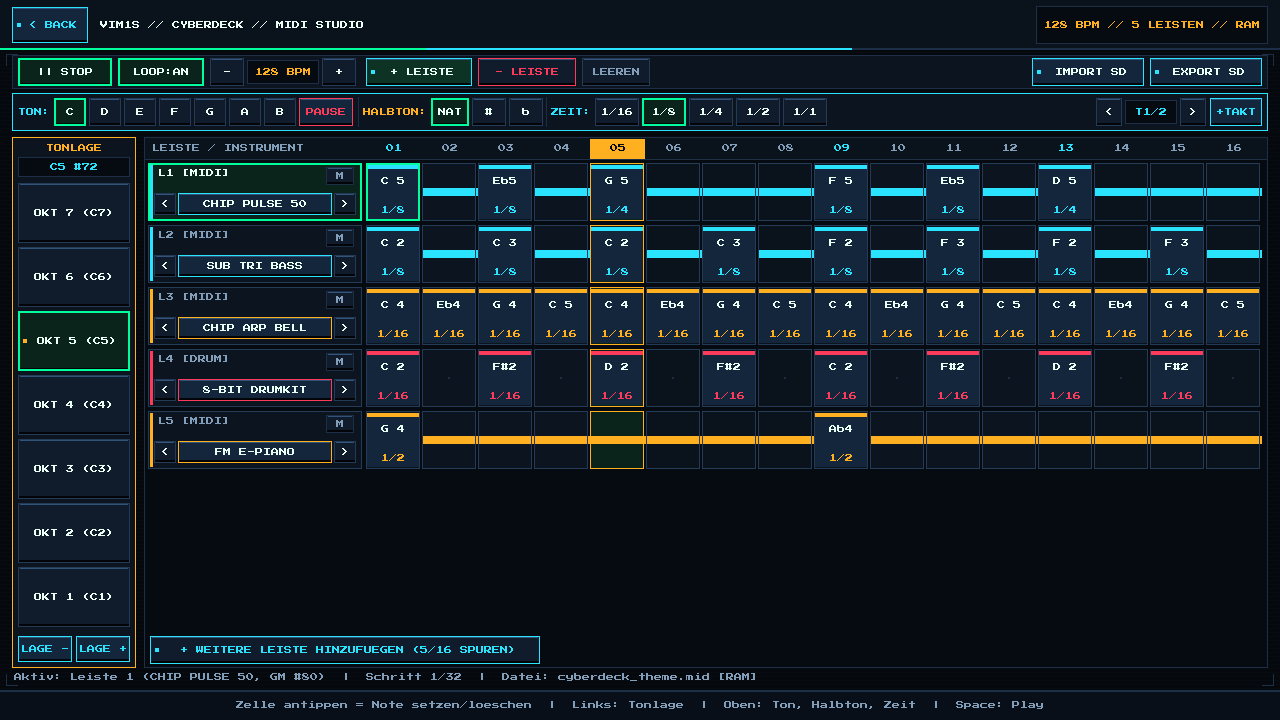
| [13] | MIDI Studio (new) | Visual note-based retro MIDI music editor & polyphonic chiptune/FM synthesizer (vim1s-midi) in 100% RAM: vertical octave strip (Tonlage), horizontal note/semitone/duration bar, up to 16 instrument lanes (+ Leiste), and microSD import/export (.mid, .wav, .mml, .abc). |
Movies — Hardware AV1 & Multi-Codec Video Player
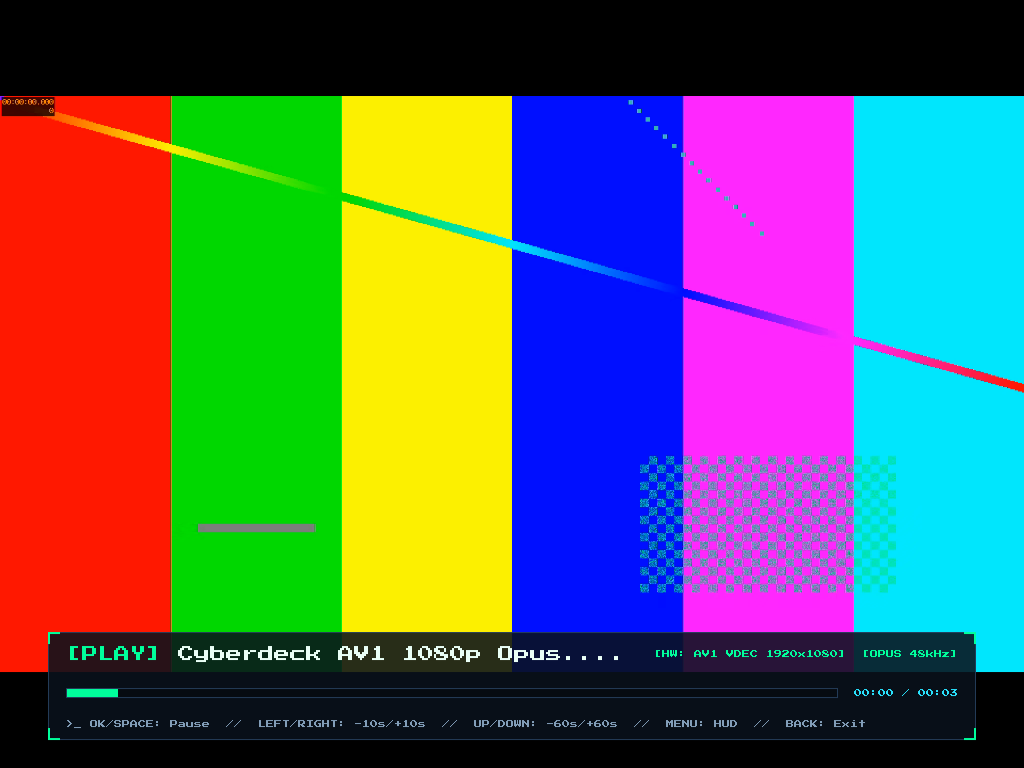
A 1080p AV1 + Opus test clip playing through the Amlogic hardware AV1 decoder ([HW: AV1 VDEC 1920x1080]) with the Cyberdeck on-screen HUD.
- Automatic
/moviesfolder: turning onMenu Card: Movies([ACTIVE]) in Settings automatically creates amovies/folder on your microSD card. When the card is[HIDDEN], no folder is created. The SD card stays read-only (blockdev --setro) except for that one-time folder creation. - Movies library screen: files found in
movies/appear as cards with a format badge and file size. Video and subtitle files are excluded from the Games list. - Plays from SD, lives on eMMC: the player (
vim1s-video, a6.6 MiBSquashFS) is stored read-only on the internal eMMC (/mnt/programs/video-player-aarch64.squashfs) and mounted on demand byvideo-session, while the movies are read from the microSD card. The32 MBSPI RAM-OS image contains the Movies card, the/moviesprovisioning and thevideo-sessionlauncher; the card subtitle readsNot Installeduntil the player bundle is present on the eMMC. - Controls:
OK/Spacepause,Left/Right-10 s/+10 s,Up/Down-60 s/+60 s,Menutoggles the HUD,Backexits. Works with gamepad, IR remote, keyboard and mouse.
| Stream | Decoder |
|---|---|
| AV1 | Amlogic S905Y4 hardware decoder (FFmpeg av1 via VA-API -> /dev/dri/renderD128 -> /dev/video0, zero-copy NV12), automatic libdav1d NEON fallback |
| H.265 / HEVC | V4L2 M2M decoder when available, otherwise 4-thread ARM64 NEON software decoding |
| H.264, VP9, VP8, MPEG-4, MPEG-2, MJPEG, Theora, VC-1/WMV, FLV | 4-thread ARM64 NEON software decoding |
| Audio | Opus (libopus), AAC, MP3, Vorbis, FLAC, AC-3, E-AC-3, DTS, ALAC, WMA, PCM — resampled to 48 kHz stereo S16_LE over HDMI ALSA |
Tested on the board with 1080p clips: AV1 + Opus (.webm), AV1 + AAC (.mp4), H.265 + AAC (.mp4), H.264 + AAC (.mp4) and VP9 + Opus (.webm). During playback the eMMC and microSD card write counters did not change (0 sectors written). Only AV1 is hardware-decoded; the other codecs are decoded in software on the four Cortex-A35 cores.
Email & Profile — Native TLS Mail Client, Attachments & AI Drafting
VIM1S // Email Inbox (IMAP / POP3) | VIM1S // Email Compose + ZCode Draft |
|---|---|
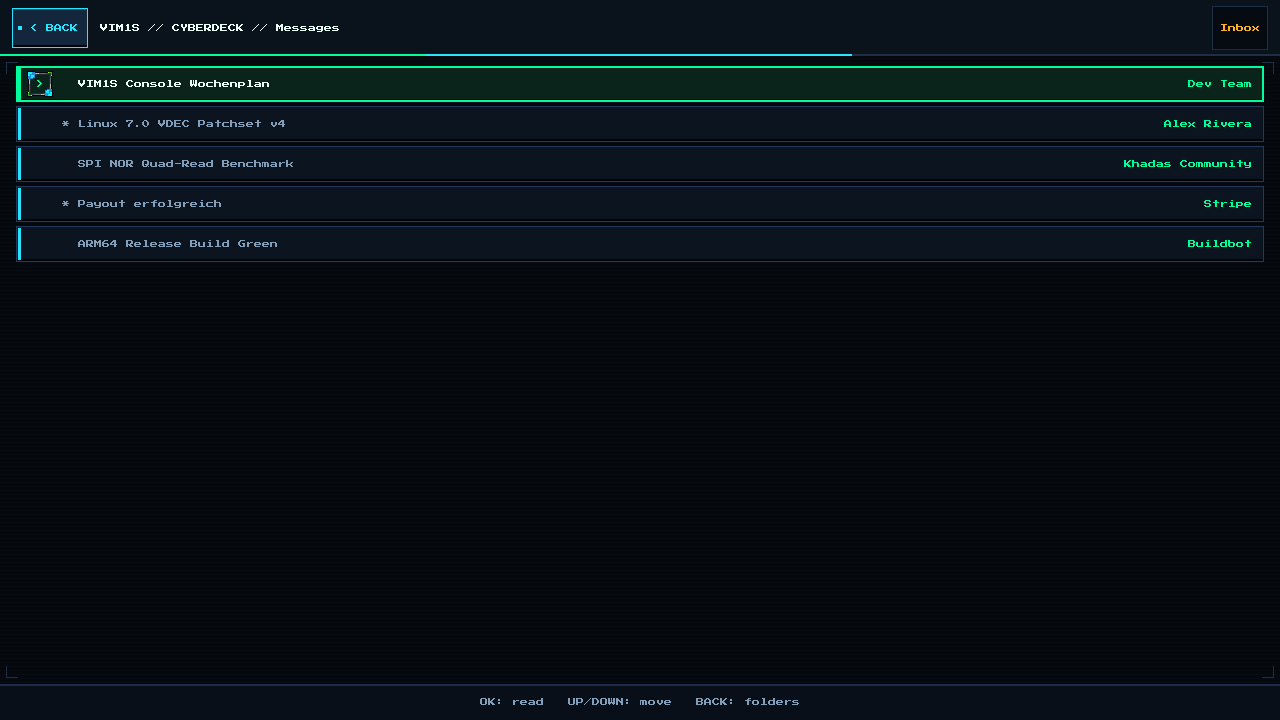 | 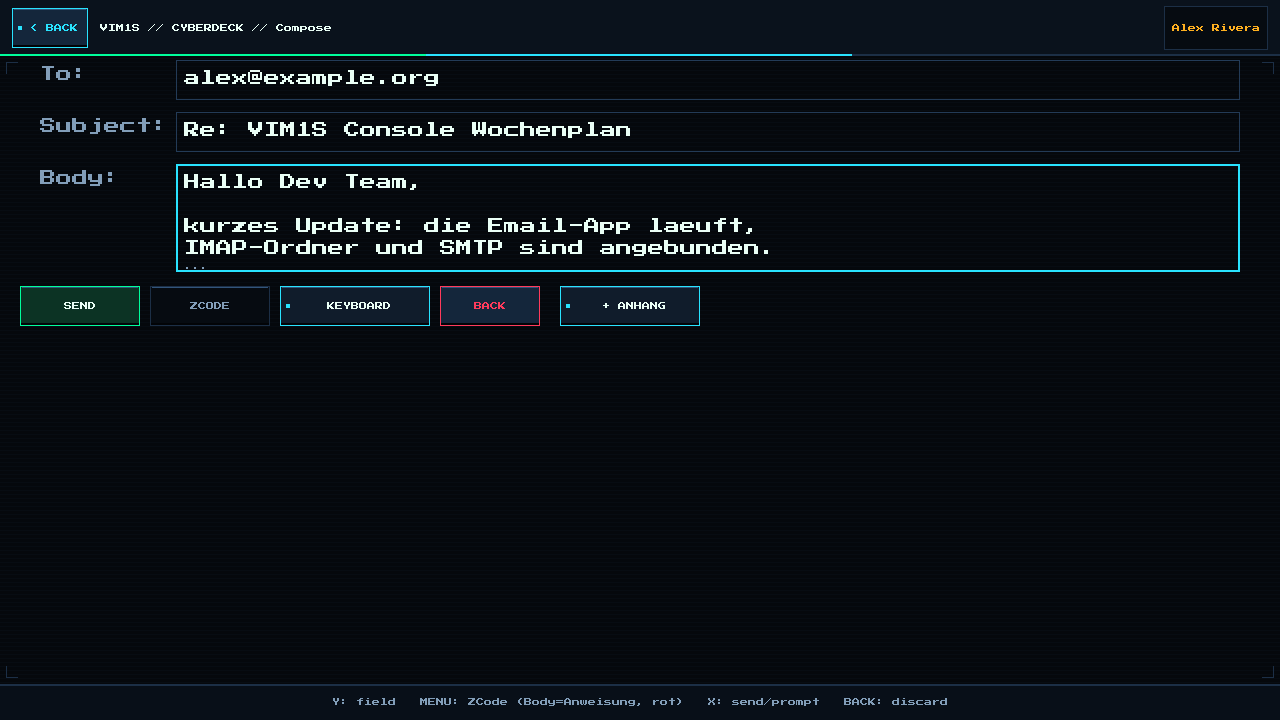 |
| Multi-folder IMAP/POP3 inbox over BearSSL TLS with Mozilla CA verification and unread indicators. | Compose screen with SD file-explorer attachments (+ ANHANG), controller OSK, and one-tap ZCODE AI reply drafting. |
- Zero-Bloat Pure C11 + BearSSL TLS:
vim1s-email(258 KiB) andvim1s-profile(130 KiB) connect directly to Wayland (wl_shm) with zero browser/Electron overhead and verify server TLS certificates against/etc/ssl/certs/ca-certificates.crt. - Read-Only OS, SD-Only Secrets (
0600): Account configs and0600app-password secrets live strictly on your microSD card (/mnt/saves/email/) via atomicstorage-mountsave windows, while downloaded message bodies and decoded attachments stay in volatile LPDDR4tmpfs(/tmp/email/). - Personal Profile Integration (
vim1s-profile): Custom fields, contact details, and your biography stored in/mnt/saves/profile/profile.confautomatically populate your outgoing signature and context when drafting replies through ZCode.
Make It Yours — 10 Colour Themes & Menu Card Toggles
Open Settings to pick one of 10 Cyberdeck colour themes (Blue, Black, Matrix, Amber, Crimson, Violet, Cyan, Gold, Cobalt, Lime) and to show or hide each home card with the Menu Card: … toggles (Games, Browser, ZCode, Wi-Fi, Bluetooth, Screencast, Terminal, Movies). Your choice is remembered.
Black | Matrix |
|---|---|
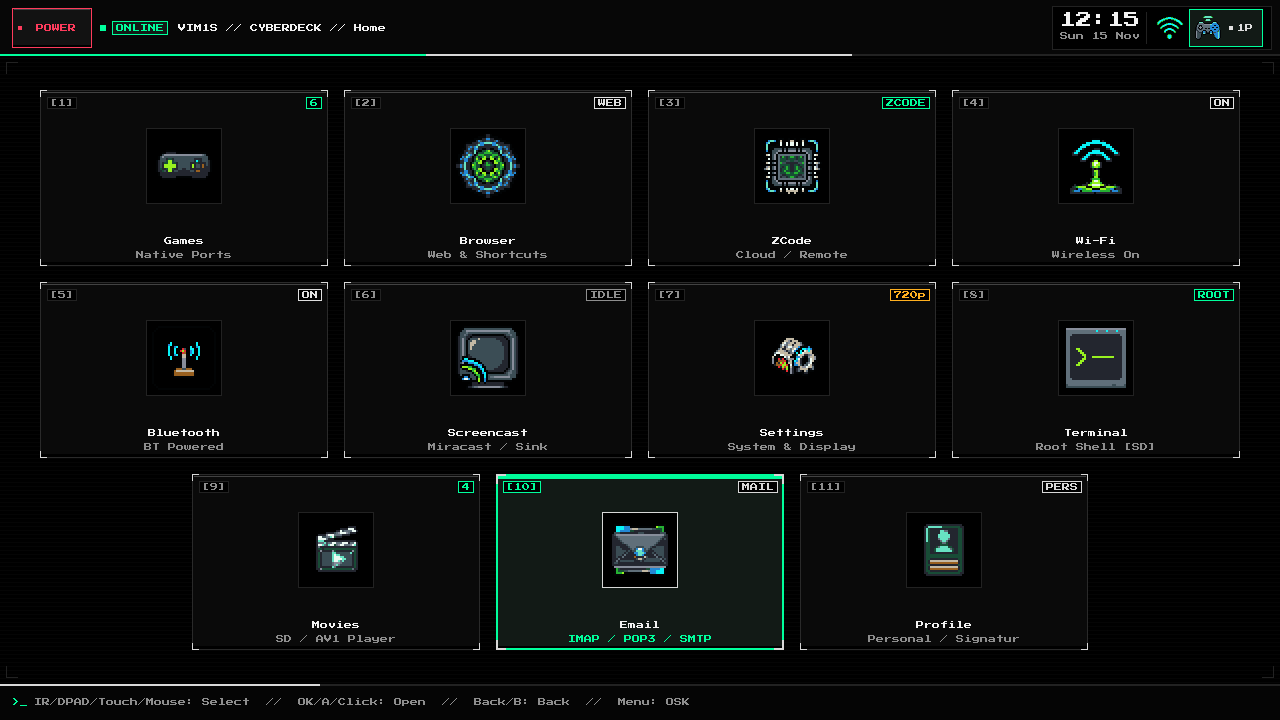 | 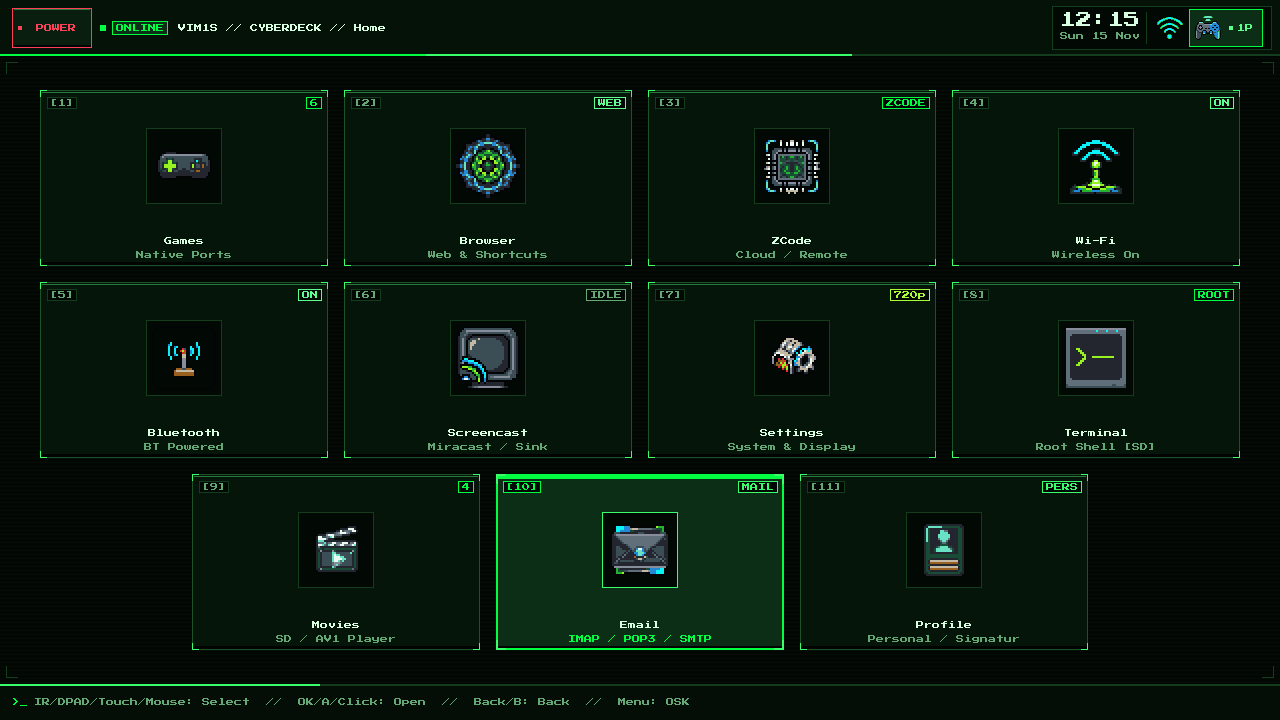 |
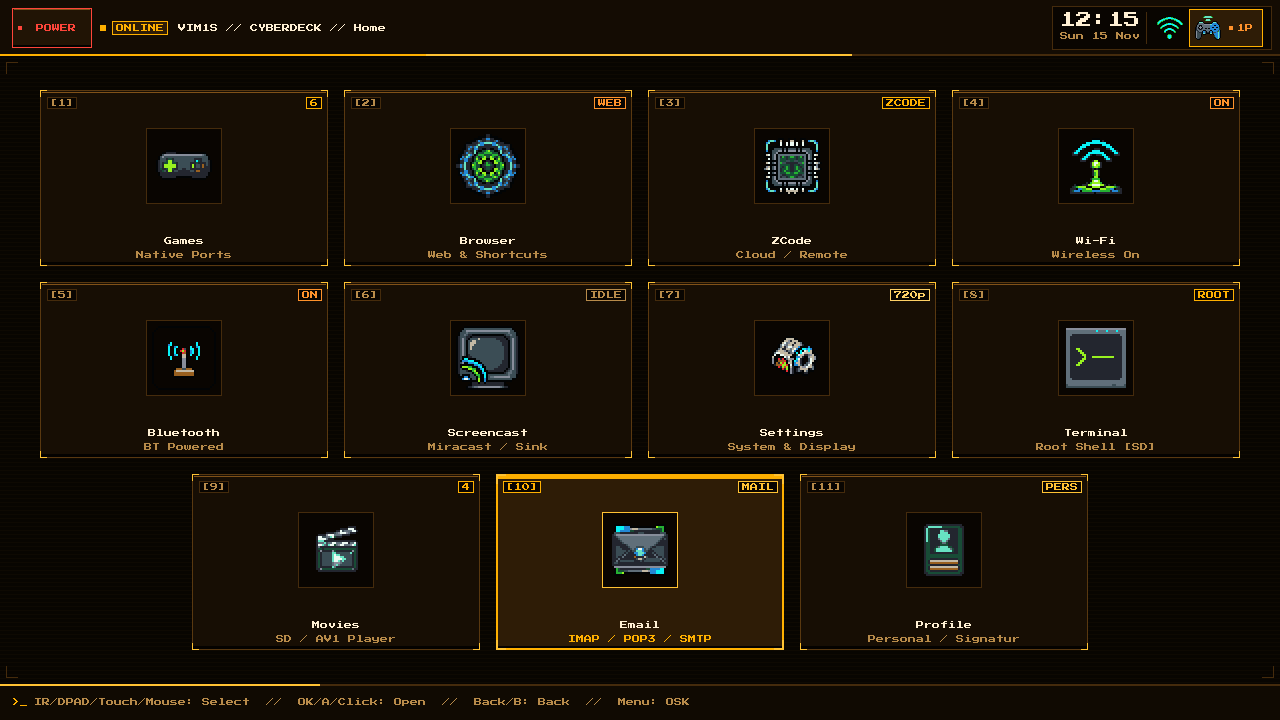 | 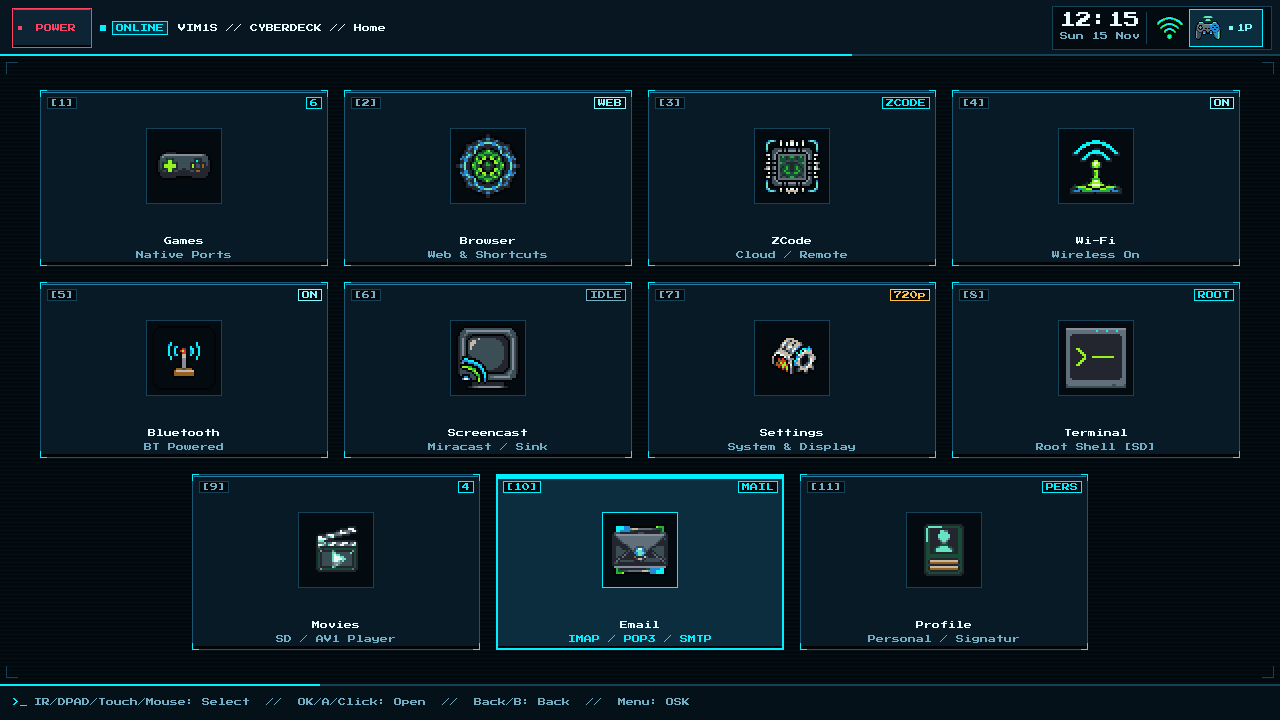 |
Amber | Cyan |
Retro MIDI Studio & Pure-ASCII Writer — Creative Tools in 100% RAM (Zero Chip Writes)
Two brand-new creative studio apps turn the Khadas VIM1S into a distraction-free music & writing cyberdeck — while strictly obeying the RAM-OS rule (zero writes to internal SPI NOR or eMMC chips; all saves go exclusively to your microSD card):
- VIM1S Retro MIDI Studio (`/en/page/vim1s-midi-studio`) — Compose chiptune, FM synth, and General MIDI songs visually without cryptic hexadecimal tracker codes! Pick your octave (Tonlage
1–7) on the left vertical bar, select note (Ton), accidental (Halbton), and length (Zeit1/16–1/1) on the top bar, add up to 16 multi-instrument tracks (+ Leiste), listen live via the built-in 16-bit synthesizer, and export.mid,.wav,.mml, and.abcstraight to/mnt/saves/music/on microSD. - VIM1S Pure-ASCII Writer (`/en/page/vim1s-ascii-writer`) — Write clean, timeless 7-bit plain-text documents without font bloat and without memorizing Markdown! Familiar Word-like buttons above the page insert ASCII banners (
====), divider lines (----), multi-line+---+callout boxes, numbered lists, and[X]checklists in RAM, exporting.txt,.asc, and.nfoto/mnt/saves/docs/on microSD.
Complete Beginner Guides — Dedicated Subpage for Every VIM1S Program
Click any program below for a full beginner walkthrough, visual button tour, supported file formats, and couch controller shortcuts:
| Program | Beginner Guide Subpage | Key Highlights & Supported Formats |
|---|---|---|
| MIDI Studio | Open MIDI Studio Guide -> | Visual note sequencer, 16 retro/GM instruments, .mid, .wav, .mml, .abc on microSD |
| Pure-ASCII Writer | Open ASCII Writer Guide -> | Word-style ASCII buttons without Markdown, .txt, .asc, .nfo on microSD |
| Games Launcher | Open Games Guide -> | Native 64-bit ARM64 strategy ports & Libretro ROMs in RAM + atomic SD saves |
| Movies Player | Open Movies AV1 Guide -> | Hardware AV1, HEVC, VP9 & H.264 1080p60 offline playback from /movies |
| Email Client | Open Email Guide -> | Plain-text IMAP / POP3 / SMTP over BearSSL TLS, attachments & ZCode AI replies |
| Personal Profile | Open Profile Guide -> | Offline microSD identity & automatic email signatures (0 cloud logins) |
| Web Browser | Open Browser Guide -> | RAM-isolated Firefox ESR with hardware AV1 streaming & SD shortcut tiles |
| Root Terminal | Open Terminal Guide -> | Safe unbrickable Linux shell in RAM + persistent /mnt/saves/terminal toolchain |
| Wi-Fi | Open Wi-Fi Setup Guide -> | Dual-band 2.4 / 5 GHz AP6256 setup, 0600 SD save & auto NTP timezone |
| Bluetooth 5.0 | Open Bluetooth Guide -> | Wireless Xbox, PlayStation, 8BitDo controllers, keyboards & speakers |
| Screencast | Open Screencast Guide -> | Offline peer-to-peer Miracast wireless display receiver for phones & laptops |
| Settings & Themes | Open Settings Guide -> | 10 global Cyberdeck CRT palettes, 1080p / 720p HDMI & menu card toggles |
Key Architecture Highlights
1. Why Booting from Internal 32 MB SPI NOR Into RAM Is a Massive Advantage
Unlike conventional single-board computer distributions that run a mutable root filesystem off an SD card or internal eMMC, the VIM1S Console OS fits its entire kernel, Wayland/KMS/DRM graphics stack, audio stack, wireless stack, and hardware AV1 decoder inside the VIM1S's soldered 32 MB Winbond W25Q256JW SPI NOR chip and executes 100% out of LPDDR4 RAM:
- Zero Flash Wear & Instant Power-Off Immunity: Once booted into RAM, the SPI NOR chip is never written to (
0write cycles; only the read-onlyvim1s_spifc_ro.komodule exists at runtime). Because the VIM1S has no battery, you can simply pull the USB-C power plug at any moment without ever risking root filesystem corruption or eMMC/SD wear-out. - LPDDR4 RAM Speed Instead of Flash I/O Bottlenecks: Every system binary, shader, font, and library sits in
tmpfsRAM (~1,750 MiB/89%of the2 GBRAM remains completely free at the Launcher). There are zero background daemons and zero disk I/O stalls. - 100% Free microSD Slot & 16 GB eMMC: Because the operating system lives entirely in SPI NOR -> RAM, the microSD card slot is 100% free to act like a hot-swappable game & savegame cartridge (of any capacity from
8 GBto2 TB), and the internal16 GBeMMC remains completely untouched and read-only (blockdev --setro) for large optional SquashFS bundles like Firefox ESR. - Self-Healing Clean Slate on Every Boot: Every press of the Reset button loads a fresh, cryptographically identical OS image from read-only SPI NOR into RAM in
9.78 seconds(0.89 sin Linux).
2. Full Hardware-Accelerated AV1 Video Player (vim1s-video on eMMC) & Firefox ESR (Amlogic S905Y4 VDEC)
The Amlogic S905Y4 (S4) SoC includes a dedicated Hardware AV1 Video Decoder (fe320000.video-codec), while its 4x Cortex-A35 CPU cores are lightweight in-order cores where software AV1 decoding (libdav1d) struggles with high-bitrate HD video. Both OS images (vim1s-spi-ram-os.bin.gz and vim1s-console-os.img.gz) ship with the complete end-to-end hardware AV1 decoding pipeline pre-integrated and enabled by default in Firefox ESR (128.14.0esr):
- Automatic OP-TEE Secure World AV1 Firmware Preload at Boot: During Stage-2 boot (
vim1s-fast-bg), the OS automatically loadstee.ko+optee.ko+optee_pdev.ko, authenticates the signed AmlogicS4AV1/H.264 video microcode (a11.bin.gzvia thea11.taTrusted Application andt_exp) into Secure World memory, and initializesaml-vdec-drv.ko(tee_fw=1 smc_budget=1000000 av1_tiles_only=1) exposing/dev/video0+/dev/media0. - Custom Stateless V4L2-Request VA-API Driver (
v4l2_request_drv_video.so): Translates standardVAProfileAV1Profile0(VAEntrypointVLD) calls into Linux statelessV4L2_PIX_FMT_AV1_FRAMEMedia Request API controls (V4L2_CID_STATELESS_AV1_SEQUENCE,FRAME,TILE_GROUP_ENTRY) on/dev/video0. Tested across 300-frame 720p conformance streams with 100% bit-exact CRC-32 match and up to358 fps(2.8 ms/frame) in zero-copyDMA-BUFmode. - Dedicated eMMC Hardware AV1 & Multi-Codec Video Player (
vim1s-video): Installed read-only on internal eMMC (video-player-aarch64.squashfs) and launched from theMovieshome card (video-session), playing videos directly from your microSD card's/moviesdirectory (automatically created whenMenu Card: Moviesis[ACTIVE]inSettings) with zero runtime flash writes. Uses hardware VA-APIav1(vaDeriveImageNV12on/dev/dri/renderD128->/dev/video0) plus H.265/HEVC, H.264, VP9, VP8, MPEG-4/2, Opus (libopus), AAC, MP3, Vorbis, FLAC, AC-3/E-AC-3, DTS, and PCM over48 kHzHDMI ALSA. - Zero-Copy Firefox ESR RDD Hardware Bridge (
libvim1s_av1_hw.so): InterceptsAV_CODEC_ID_AV1inside Firefox ESR'sRDDdecoder process (FFmpegVideoDecoder<60>), routes AV1 frames directly to the Amlogic S905Y4 hardware decoder on/dev/dri/renderD128->/dev/video0, and unpacksNV12 -> YUV420Pvia ARM64 NEON (vld2q_u8) straight into Firefox's shared-memory (Shmem) video buffer in1.1–8.6 ms/frame(nearly 4x faster than real-time 30/60 fps playback with minimal CPU load).
3. Asynchronous Stage-2 Onboard Dual-Band Wi-Fi (AP6256 Internal Antenna) & Bluetooth 5.0 (BCM4345C5)
Both SPI NOR (vim1s-spi-ram-os.bin.gz) and USB/eMMC (vim1s-console-os.img.gz) images deliver out-of-the-box onboard wireless networking and Bluetooth 5.0 without delaying the instant 0.89 s Linux-to-UI boot:
- Async Stage-2 SPI NOR Streaming (
0.89 sUI Preserved): Stage 1 stays compact (5.66 MiB) so the Wayland compositor and Cyberdeck Launcher render immediately. In the background,vim1s-fast-bgstreamsstage2.tar.gz(11.99 MiB,192 x 64 KiBblocks) from/dev/mtd0roto bring upcfg80211,brcmfmac,bluetooth,btbcm,hci_uart,wpa_supplicant, andbluetoothd(BlueZ) asynchronously with zero UI stall. - Dual-Band
2.4 GHz&5 GHzInternal IPEX/U.FL Antenna Wi-Fi (AP6256/BCM43456): Connects cleanly on both2.4 GHzand5 GHzchannels (wlan0) using the Khadas internal IPEX/U.FL antenna attached to the board'sANTconnector. Kernel parameterbrcmfmac.feature_disable=0x82000 brcmfmac.roamoff=1is baked into both SPIbootargsand USB/eMMC/etc/modprobe.d/brcmfmac.confto prevent firmwareSAE/FWSUPassociation stalls, paired with non-blocking backgroundudhcpcDHCP acquisition. - Onboard Bluetooth
5.0(BCM4345C5serdev) + Automatic USB Dongle Priority: Enabled in the hardware Device Tree (v11.dtb,fe078000.serial/bluetooth),hci_uart+btbcmload the2 Mbpsbrcm/BCM4345C5.hcdpatch ontohci0automatically in Stage 2. If you plug in an external USB Bluetooth dongle,S40dev-bluetooth/dev-bluetoothautomatically gives the USB adapter priority over the onboard controller, whilestorage-mountpersists pairings atomically via crash-safe.bluetooth.bakbackups.
Easy Step-by-Step Installation Guide
You do not need a serial UART cable or complex setup. Everything runs out of the box on any HDMI TV or monitor with a USB/Bluetooth controller, USB keyboard/mouse, or the Khadas IR remote.
Step 1 — Boot from a USB Stick & Install the 32 MB SPI NOR 100% RAM-OS (Recommended)
Running the OS from internal 32 MB SPI NOR directly in LPDDR4 RAM gives you the fastest boot time (9.78 s cold reset), 1,750 MiB of free RAM, zero eMMC/SPI bus contention, and zero runtime flash wear:
- Flash the USB Stick (Graphical, Beginner-Friendly):
- Download vim1s-console-os.img.gz (
21.18 MiB) and vim1s-spi-ram-os.bin.gz (24.44 MiB). - Open Balena Etcher (or Rufus on Windows / Raspberry Pi Imager on macOS & Linux), select
vim1s-console-os.img.gz, select any USB flash drive, and click Flash. - Copy
vim1s-spi-ram-os.bin.gzonto the USB drive'sBOOTpartition (or onto a second USB stick), plug it into a VIM1S USB-A port, and connect HDMI + USB-C power.
- One-Command SPI NOR Installation (
vim1s-flash-spi):
- On the
VIM1S // Homescreen, open [8] Terminal (VIM1S // Terminal) and run:
vim1s-flash-spi /mnt/boot/vim1s-spi-ram-os.bin.gzvim1s-flash-spiautomatically loads the hardware-guarded SPI NOR driver (vim1s_spifc_rw.ko), strictly protects your factory signedBL2bootloader (0x000000..0x11bfff) with a kernel-EPERMlock, flashes only changed64 KiBsectors (DEVFIP+ 2-Stage RAM-OS), and verifies the full 32 MB SHA-256 checksum on chip.- (Alternative via Khadas OOWOW): You can also flash
vim1s-spi-ram-os.bin.gzdirectly from Khadas OOWOW (hold Function + tap Reset) via:
gzip -dc vim1s-spi-ram-os.bin.gz | spi_update- Unplug the USB Stick & Press Reset:
- Remove the USB flash drive and press Reset. Your VIM1S now boots 100% from internal 32 MB SPI NOR into RAM!
- (Note: If you prefer running from internal
16 GBeMMC instead of SPI NOR, rungzip -dc vim1s-console-os.img.gz | dd of=/dev/mmcblk0 bs=4M conv=fsync.)
Step 2 — Insert Any microSD Card of Any Capacity (8 GB up to 2 TB) — Automatic 100%-Capacity Formatting & Fast DEVFIP Boot
Simply insert any microSD card regardless of its size (8 GB, 16 GB, 32 GB, 64 GB, 128 GB, 256 GB, 512 GB, 1 TB, or 2 TB) into the VIM1S slot (either before powering on or hot-plugged while running — press X on your gamepad or r on your keyboard to rescan).
When the OS detects a blank, unformatted, or foreign microSD card (storage-mount sd_format), it dynamically queries the exact sector count of your card (/sys/class/block/mmcblk1/size) and automatically configures two major upgrades:
- Unified Single-Partition 100%-Capacity
ext4Layout (-m 0, Zero Savegame Partition Limits):
- Previously, splitting the SD card into two partitions (
p1for games,p2for saves) artificially capped how much space your savegames, browser profiles, and installed terminal packages could use. - Now, automatic SD formatting creates one single full-capacity
ext4partition (p1, labeledgames, formatted with-m 0for0%root-reserved block waste) spanning 100% of your card's capacity fromLBA 32768(16 MiB) right to the end of the card — whether you insert a small8 GBcard, a64 GB/128 GB/512 GBcard, or a2 TBcard. - Both
/mnt/games/games/(native ARM64 game ports & SquashFS app bundles) and/mnt/games/saves/(savegames, custom browser shortcutsbrowser-links.txt, Wi-Fi/Bluetooth credentials, and persistent Alpineapk/npm/pippackages) live together on that single partition — so your savegames are never artificially limited!
- Automatic Fast
83.33 MHzQuad-SPIDEVFIPBootloader Installation on the SD Card (9.78 sCold Boot):
- On every cold reset, the Amlogic S905Y4 BROM hardware checks the microSD card slot (
LBA 1) before falling back to SPI NOR (~1.67 sBROM probing penalty when an SD card has no bootloader). - Whenever
storage-mountformats or mounts your microSD card, it automatically writes the signedBL2prefix (LBA 1..1136) and our fast83.33 MHzQuad-SPIDEVFIPbootloader (LBA 1137..6168) into the reserved16 MiBgap before partitionp1(LBA 32768). - Result: With your formatted microSD card inserted, pressing Reset boots immediately through the SD
DEVFIPinto the SPI NOR 2-Stage RAM-OS and renders the HDMI Launcher UI in9.78 secondstotal (or11.45 secondsfrom pure SPI NOR when no microSD card is inserted)!
Step 3 — Connect Wi-Fi, Pair Controllers & Play
- Internal Antenna, Wi-Fi & Bluetooth
5.0: Snap your Khadas IPEX/U.FL internal antenna onto the board'sANTconnector before closing the case. Within ~2 seconds of hitting Home, async Stage 2 initializes onboard2.4 GHz/5 GHzWi-Fi (AP6256) and Bluetooth5.0(BCM4345C5) in the background (external USB Wi-Fi/BT dongles automatically take priority if plugged in). Open [4] Wi-Fi to scan and join2.4 GHz/5 GHznetworks with the 4-row controller On-Screen Keyboard (SELECT/MENU), and [5] Bluetooth to pair wireless gamepads. A controller indicator (1P,2P, …) appears in the top-right status cluster as soon as a pad is connected. - HDMI Resolution, Audio & Themes: Open [7] Settings to switch live between
Auto,1920x1080 @ 60Hzand1280x720 @ 60Hz, toggle HDMI audio (axg-sound-card), choose one of 10 colour themes, and hide or show home cards. - Games: Put native ports / app bundles into
games/on your microSD card and open [1] Games. - Browser & Hardware AV1 Video: Open [2] Browser ->
[+] Add Shortcutto save custom web tiles to your SD card (browser-links.txt) and launch Firefox ESR (128.14.0esr) in an isolated RAM session with full Amlogic S905Y4 hardware AV1 video decoding enabled out of the box. - Movies: Make sure
Menu Card: Moviesis[ACTIVE]in [7] Settings — amovies/folder is created on your microSD card. Copy.mp4/.mkv/.webmfiles into it from a computer, then open [9] Movies and pressOKon a file. - Email and Profile. Use Profile to save your signature and Email to configure your mail account.
- Fullscreen Linux Terminal (
[8] Terminal): Whenever a microSD card is inserted, [8] Terminal opensVIM1S // Terminal(root@vim1s:~#) with persistent Alpine Linux package management (apk add),python3,npm,pip, and the controller On-Screen Keyboard.
Screenshots — VIM1S Couch Console UI
These captures show the VIM1S interface at 1280 × 720.
VIM1S // Browser Custom User Shortcuts | Built-In 4-Row Controller On-Screen Keyboard |
|---|---|
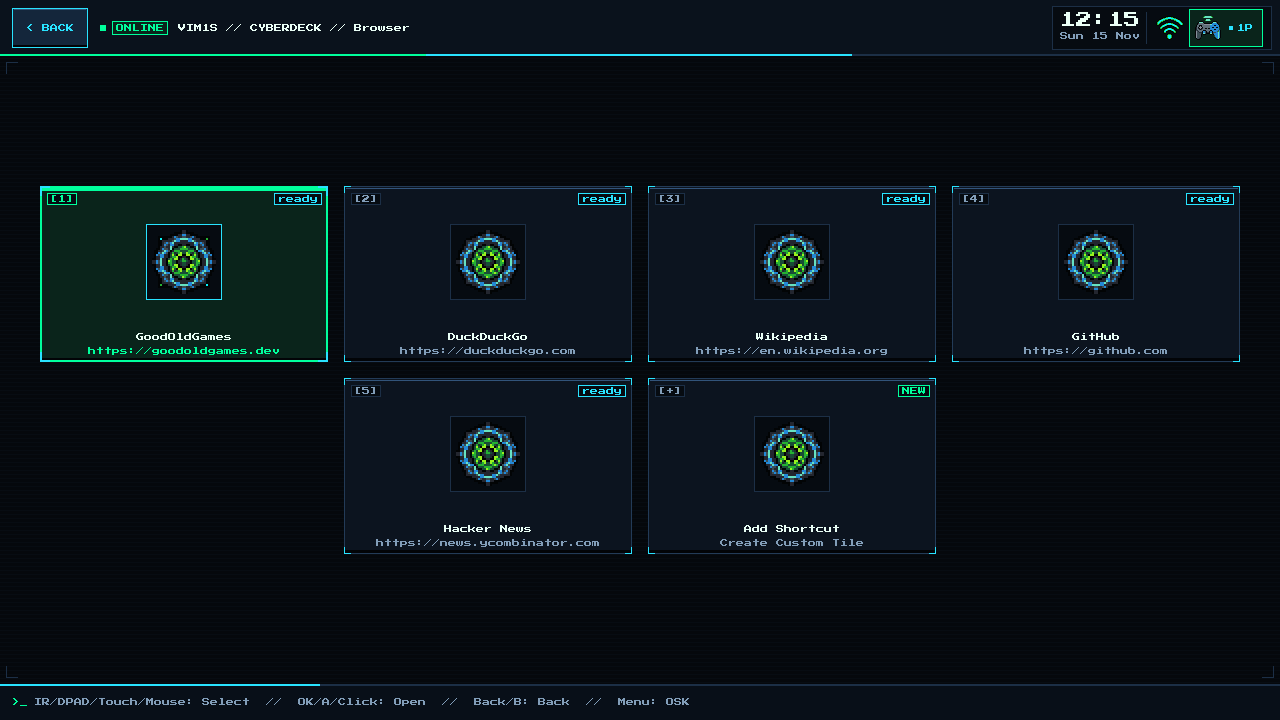 | 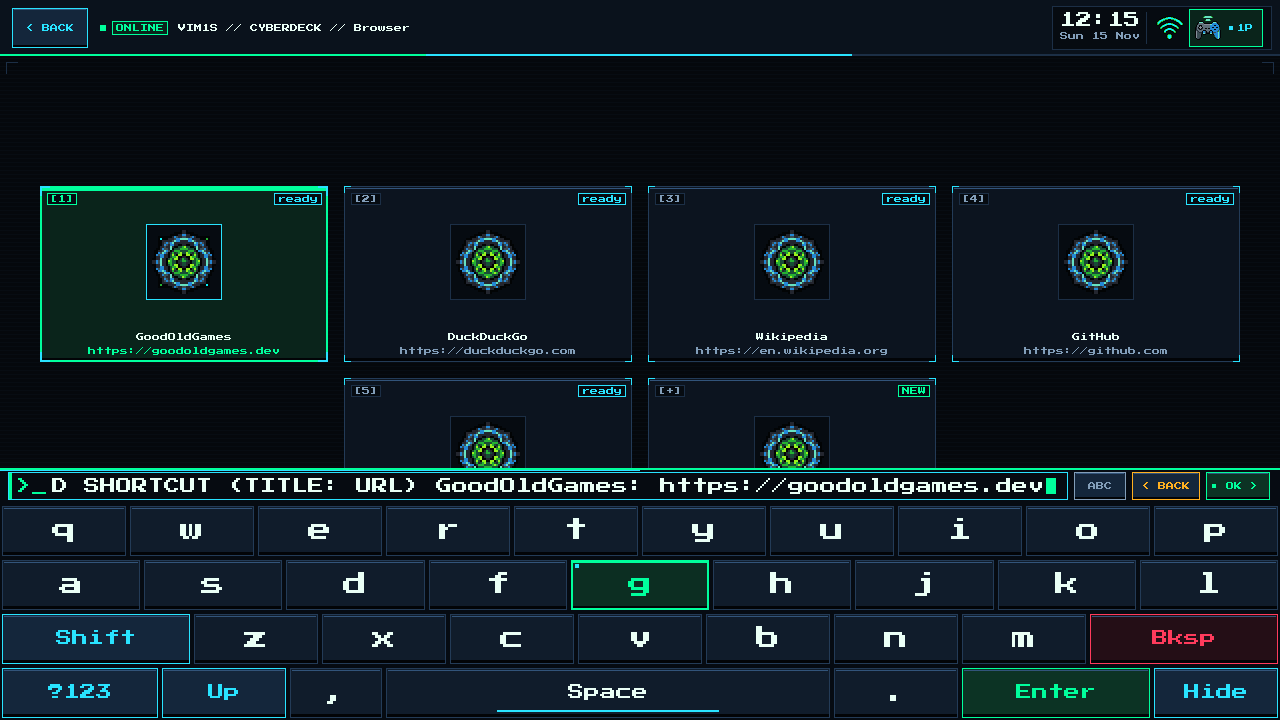 |
Create your own web tiles via [+] Add Shortcut, persisted on your SD card, with hardware AV1 decoding active in Firefox ESR. | Full 4-row QWERTY & symbol keyboard (Menu / SELECT / KEYBOARD) across the launcher and terminals. |
VIM1S // Wi-Fi | VIM1S // Bluetooth |
|---|---|
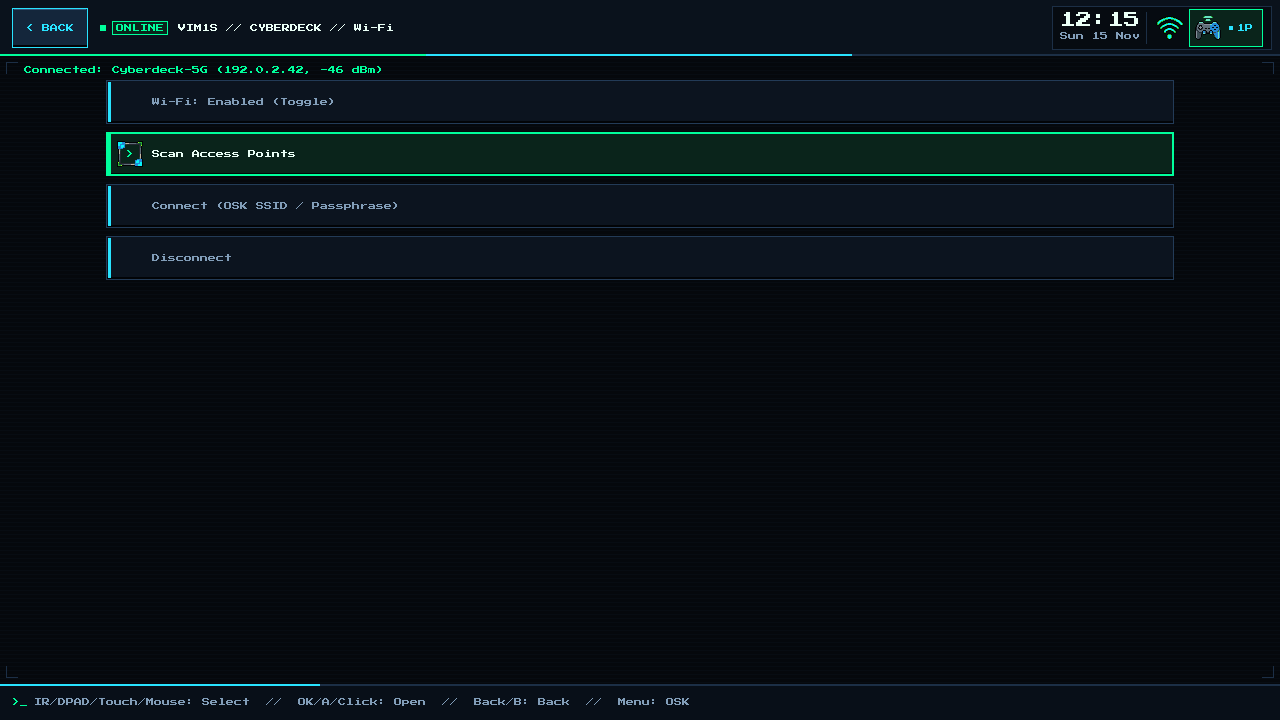 | 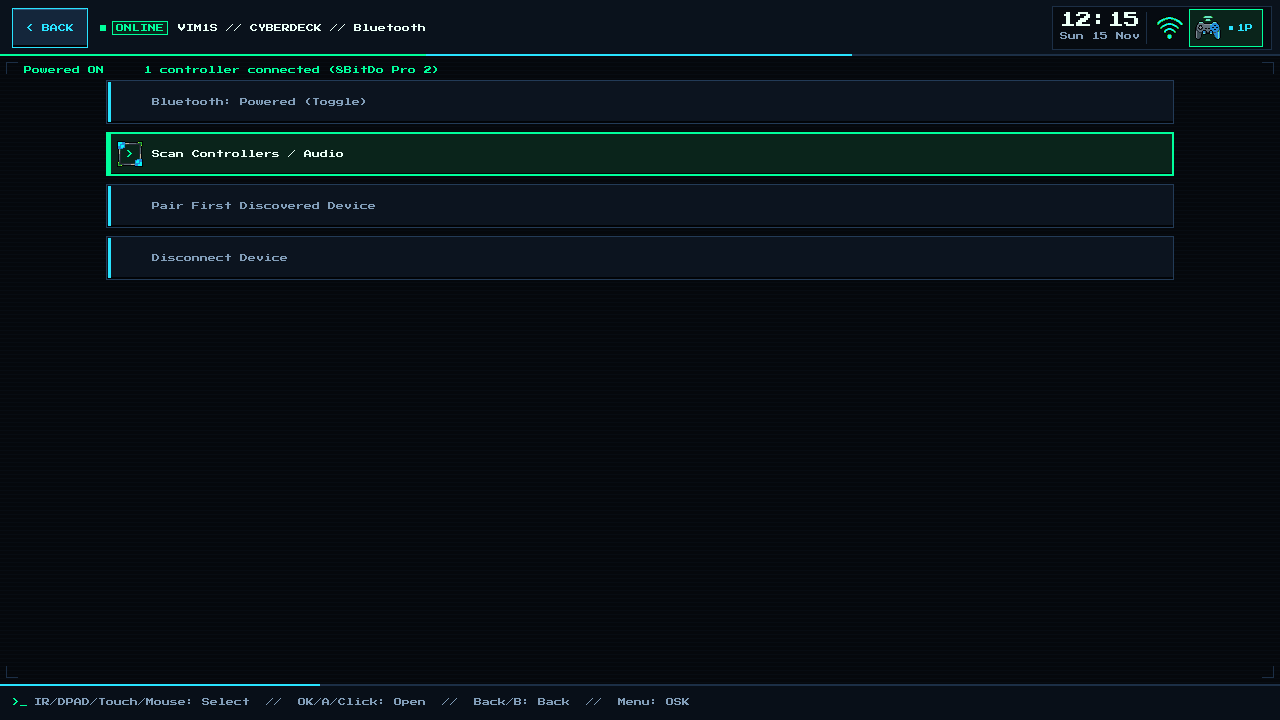 |
Toggle, scan and connect to 2.4 / 5 GHz networks from your gamepad or IR remote. | Scan and pair wireless controllers and audio devices. |
VIM1S // Games | VIM1S // Screencast |
|---|---|
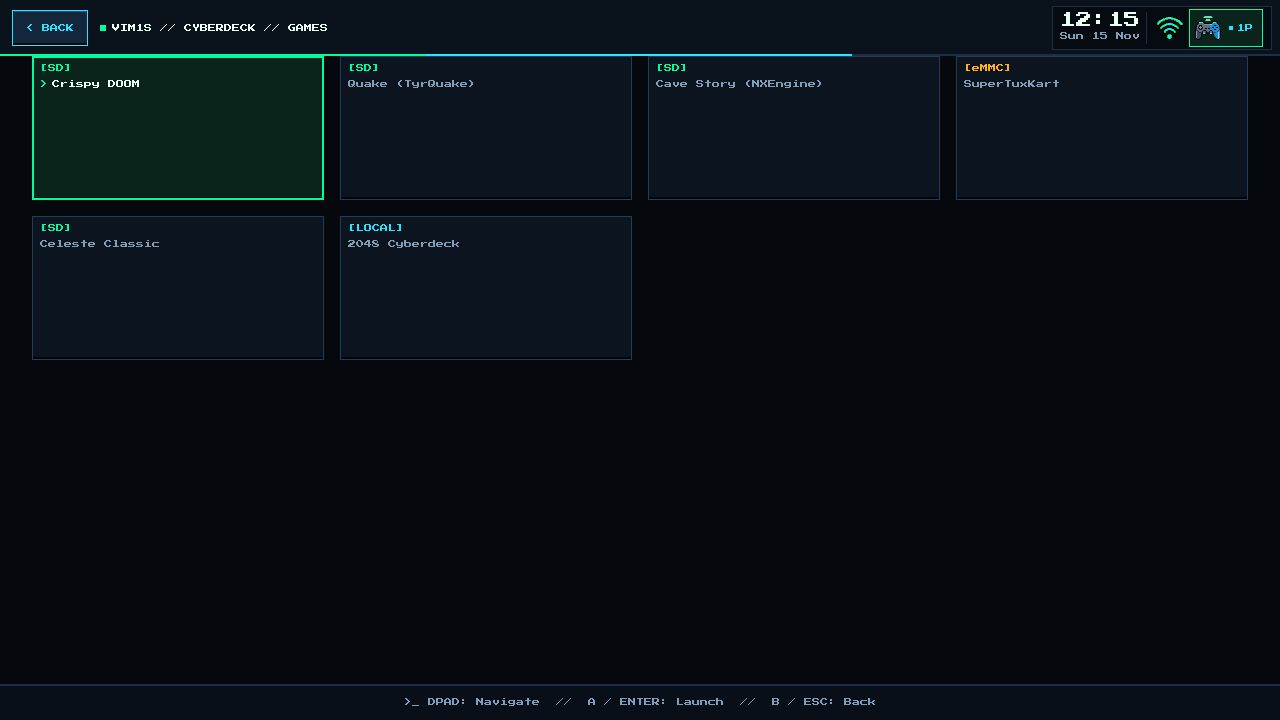 | 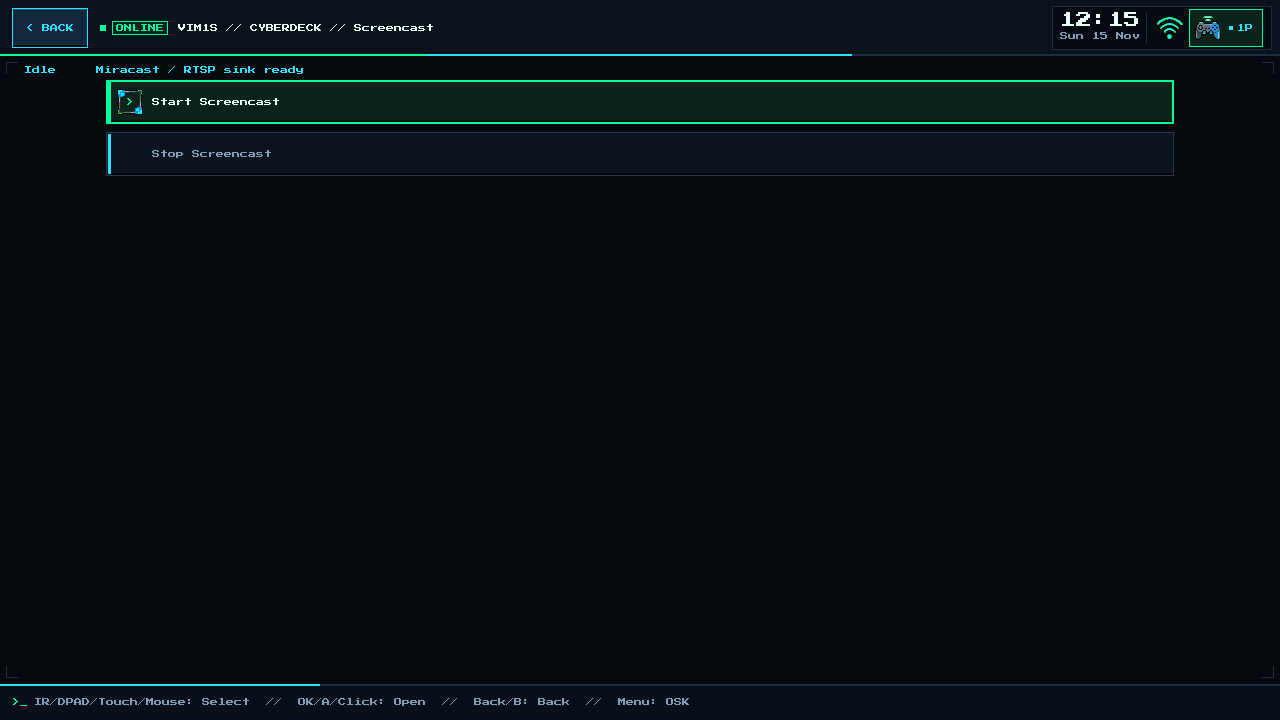 |
| Native ports and app bundles from your SD card. | Start and stop the screencast sink. |
What Changed & How It Works — Deep Technical Breakdown
1. Fast 2-Stage Asynchronous UI-First Boot (9.78 s Cold Reset / 0.89 s Linux-to-UI)
To achieve the fastest possible cold boot without losing a single feature (Wi-Fi, Bluetooth, USB Ethernet, OP-TEE/VDEC hardware AV1 video decode, thermal monitoring, or Alpine apk tools), the 32 MB SPI NOR 100% RAM-OS uses a 4-stage pipeline:
| Boot Stage | Time Elapsed | What Happens Under the Hood |
|---|---|---|
1. BROM + BL2 + Fast Quad-SPI DEVFIP (U-Boot) | 0.00 s -> 5.90 s (SD DEVFIP) / 7.55 s (pure SPI) | Preserves the factory signed BL2 (0x000000..0x11bfff) and pairs it with our custom-packed DEVFIP (0x11c000..0x390fff): bootdelay=0, skipped redundant Android BCB/DTB probes, stripped black-screen HDMI VPU preboot init, and Quad-SPI 83.33 MHz (div=2, spi-rx-bus-width = <4>, 0x6B Quad Read) in BL33.dtb. Holds FUNCTION + RESET hardware rescue priority (oowow_mode=0x1) intact. No boot splash: the factory logo region is erased and the kernel boots silent, so the screen goes straight to the Launcher. |
2. 83.33 MHz Quad-SPI Read + ulz4fn Decompress | 5.90 s -> 8.89 s (2.99 s duration) | U-Boot reads only the 11.66 MiB Stage-1 synchronous payload (v11.dtb + Image.fast.lz4 + stage1.cpio.zst) from SPI NOR at 83.33 MHz Quad-SPI and decompresses the LZ4 kernel (ulz4fn) in ~15 ms. |
3. Linux 7.0.0+ -> Stage-1 HDMI Launcher UI | 8.89 s -> 9.78 s (0.89 s in Linux!) | Kernel reaches /init in 0.60 s, configures S4 axg-sound-card audio, starts vim1s-compositor (Mali-G31 Panfrost GLES2 + meson-drm) and vim1s-launcher, and presents the interactive HDMI home screen at 0.89 s (0.92 s to USB RNDIS 172.22.1.1). |
4. Stage-2 Async Background Stream (vim1s-fast-bg) | +1.75 s in background (while UI is live) | While you are already using the Launcher, vim1s-fast-bg streams stage2.tar.gz (11.99 MiB, 192 x 64 KiB blocks) from /dev/mtd0ro into RAM tmpfs /, initializes 512 MiB zram0, mounts the microSD card read-only (storage-mount sd_mount), preloads signed OP-TEE AV1/H.264 firmware (a11.bin.gz via t_exp) into Secure World, loads aml-vdec-drv.ko (/dev/video0 + v4l2_request_drv_video.so), brings up onboard dual-band 2.4/5 GHz AP6256 Wi-Fi (brcmfmac) + BCM4345C5 Bluetooth 5.0 (serdev hci0, or USB BT dongle) asynchronously, and runs vim1s-timesync (NTP + geo-IP timezone lookup into /run/vim1s-tz) as soon as internet is reachable. |
2. Zero Runtime Flash Writes & Atomic Savegame Protection
Fragile embedded flash chips (SPI NOR, eMMC, and microSD cards) degrade or corrupt when subjected to background OS logging, browser caches, or sudden power loss. VIM1S Console OS eliminates runtime flash writes completely:
- SPI NOR (
mtd0) & Internal eMMC (mmcblk0): Zero runtime writes (0sectors written). Only the read-onlyvim1s_spifc_ro.kodriver is loaded during normal operation (mtd0ro), and the entire root filesystem (/,/var,/run,/tmp) lives in LPDDR4tmpfsRAM with1,750 MiB(89%) of RAM free at the Launcher. - Read-Only-at-Rest microSD Card (
mmcblk1p1): Even your microSD card is mounted strictly read-only (ro,noatime) and locked at the kernel block layer (blockdev --setro /dev/mmcblk1p1) during normal operation and gameplay. - Movies play read-only: the video player is mounted read-only from the eMMC and reads your files from the read-only SD card; playback writes nothing to either (
0sectors written in our 5-codec test). - Mutex-Locked Atomic Save Windows (
saves_open_rw/saves_close_rw): Whenever a game saves (SRAM/ save state), or you add a browser shortcut or save Wi-Fi credentials,/usr/sbin/storage-mountacquires an exclusive/run/storage-mount.lock(flock), briefly unlocksmmcblk1p1(rw), atomicallyfsyncs the file and directory, and immediately re-locks the partitionro,noatime+blockdev --setro. You can unplug the USB-C power cord at any time without corrupting your OS or SD card.
3. 32 MB SPI NOR Flash Memory Map (vim1s-spi-ram-os.bin.gz)
| SPI Offset Range | Size | Component | Details |
|---|---|---|---|
0x000000 .. 0x11bfff | 1.11 MiB | Factory Signed BL2 (1STBLOB + BL2E + BL2X) | 100% untouched factory binary (sha256: 9310667e...); protected against accidental writes by -EPERM in vim1s_spifc_rw.ko. |
0x11c000 .. 0x390fff | 2.46 MiB | Fast Quad-SPI 83.33 MHz DEVFIP | Signed BL30/BL40/BL31/BL32 + optimized BL33 U-Boot (bootdelay=0, 83.33 MHz 0x6B Quad-Output Fast Read, FUNCTION+RESET rescue check). |
0x4c8000 .. 0x4cffff | 32 KiB | Boot Script (#!script) | Zero-sleep, zero-splash bootcmd_oowow script with silent loglevel=0 brcmfmac.feature_disable=0x82000 brcmfmac.roamoff=1 bootargs (no console=tty0 fbcon overhead), loading Stage 1 directly into RAM while preserving FUNCTION+RESET (oowow_mode) rescue. |
0x4e0000 .. 0x4e7fff | 32 KiB | Erased Splash Region (0xFF — Zero Boot Logo) | Wiped to 0xFF (all factory Khadas BMP splash logos removed) so HDMI powers straight into the interactive Cyberdeck Launcher with zero boot logo delay. |
0x4e8000 .. 0x527fff | 256 KiB (33.8 KiB used) | Device Tree (v11.dtb) | Amlogic S4 HDMI (meson-drm), Panfrost Mali-G31, fe320000.video-codec AV1 VDEC, axg-sound-card, AP6256 SDIO Wi-Fi + fe078000.serial (BCM4345C5 Bluetooth 5.0 serdev), USB OTG Gadget, 128 MiB reusable CMA, S4 Thermal. |
0x528000 .. 0xb2ffff | 6.03 MiB (5.97 MiB used) | Kernel (Image.fast.lz4, Linux 7.0.0+ #3) | Mainline-based Khadas 7.0.0+ aarch64 kernel compressed with lz4 -9 -B7 (~15 ms U-Boot ulz4fn decompression). |
0xb30000 .. 0x10fffff | 5.81 MiB (5.66 MiB used) | Stage-1 UI Initramfs (stage1.cpio.zst) | vim1s-compositor, vim1s-launcher, vim1s-terminal, vim1s-frontend, vim1s-timesync + tz-posix.tsv (IANA -> POSIX TZ table), storage-mount, video-session / ff-session / zcode-session / email-session / profile-session launchers, Mesa/Panfrost GLES2, ALSA init, Dropbear SSH + USB RNDIS, vim1s_spifc_ro.ko. |
0x1100000 .. 0x1ffffff | 15.00 MiB (11.99 MiB used, 3.01 MiB free) | Stage-2 Async Archive (stage2.tar.gz) | Streamed asynchronously in ~1.75 s after UI start: vim1s-email, vim1s-profile, libbearssl.so.0, kernel .ko modules (brcmfmac/cfg80211 2.4/5 GHz Wi-Fi, bluetooth/btbcm/hci_uart + BCM4345C5.hcd BT 5.0, OP-TEE, aml-vdec-drv, Thermal, USB NICs, Gamepads), signed S4 AV1 firmware (a11.bin.gz + a11.ta + t_exp), v4l2_request_drv_video.so, libvim1s_av1_hw.so, wpa_supplicant, BlueZ, apk.static, e2fsck, vim1s-flash-spi, and sd-boot-prefix.bin.gz. |
4. Universal microSD Card Single-Partition Layout (Auto-Formatted by storage-mount for Any Card Size 8 GB – 2 TB)
| Sector / Offset Range | Size | Component | Details |
|---|---|---|---|
LBA 0 (0 B .. 511 B) | 512 B | MBR Partition Table | Dynamically computed from /sys/class/block/mmcblk1/size; defines a single primary ext4 partition p1 starting at LBA 32768 (16 MiB) and extending to the end of the card (total_sectors - 2048). |
LBA 1 .. 1136 (512 B .. 568 KiB) | 568 KiB | Signed S4 BL2 Prefix (sd-boot-prefix.bin.gz) | Automatically written during SD format/mount so Amlogic BROM boots straight from SD without a 1.67 s timeout. |
LBA 1137 .. 6168 (568.5 KiB .. 3.01 MiB) | 2.46 MiB | Fast Quad-SPI DEVFIP (fip-qspi83.bin) | Automatically copied from SPI NOR (0x11c000..0x390fff), immediately handing off to SPI NOR Stage 1 for a 9.78 s cold boot. |
LBA 32768 .. End (16 MiB .. 100%) | 100% of Any SD Card (8 GB – 2 TB, -m 0) | Unified Partition p1 (ext4, label games) | Formatted with -m 0 (0% reserved blocks) and mounted at /mnt/games (ro,noatime + blockdev --setro at rest) with /mnt/saves bind-mounted to /mnt/games/saves — sharing 100% of any SD card's capacity between games and savegames with zero partition size limits. |