Work on isleforge — our clean-room native 64-bit C11 & SDL2 port of Anno 1503 A.D. — Royal Edition (port overview & downloads) — has moved from the RC15 50-scenario milestone into an active RC16 parity pass. Instead of stopping at scenario boots and save/reload checksums, we now run an automated 1024×768 verification harness that drives isleforge with simulated mouse clicks, drags, scroll-wheel input, and keyboard shortcuts and checks every screen, camera move, and ship order directly against the original 2003 release.
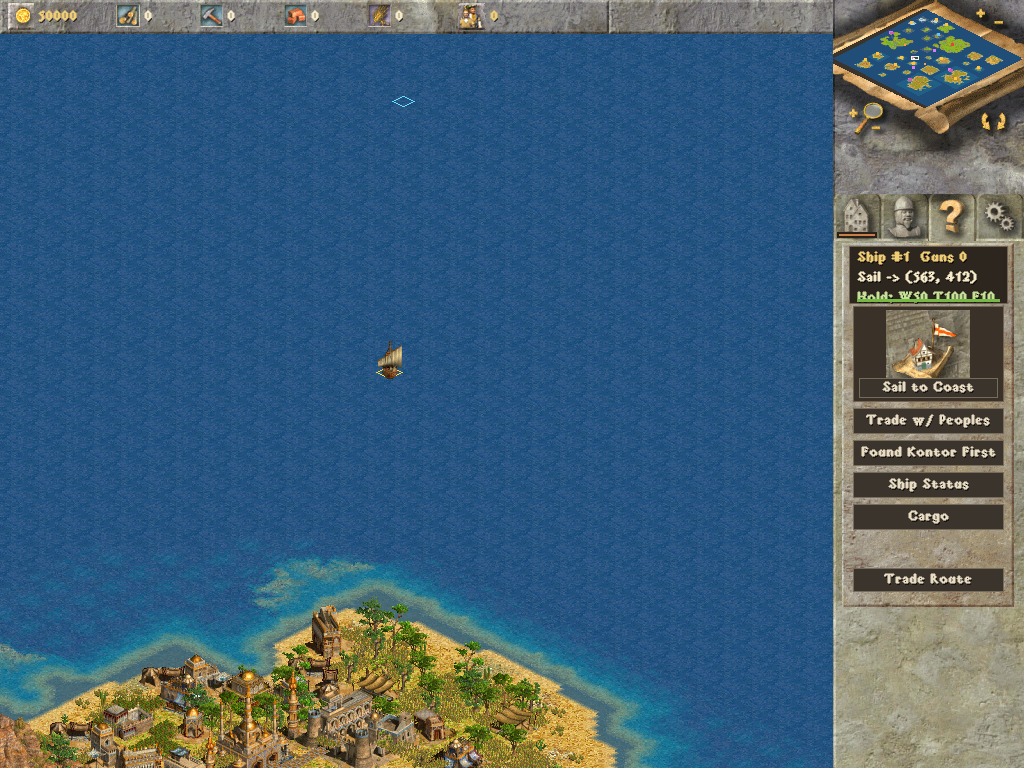
Flagship caravel approaching a settled southern coastline in isleforge RC16 — native SDL2/GLES2 rendering from installed Felder.tex terrain, Figuren ships, and ToolGfx stone HUD chrome.
What landed in RC16
The latest engine updates focus on making an Endless game play properly from its opening seconds rather than dropping the player into a pre-built town or unguarded menus:
- Open-ocean Endless start on Baron: Booting
Baron 1P/3AI endless(and other ship-only Endless scenarios with zero pre-founded human cities) now places your flagship in open water away from immediate shorelines with founding supplies loaded in the hold (Hold: W50 T100 F10— Wood, Tools, Food, and Bricks capped to ship hold capacity). Endless AI colonization also avoids claiming the island closest to the player's flagship first so your opening landing zone stays yours to explore. - Build Menu lock until a Kontor is founded: While sailing before your first landing, the Build Menu remains locked (
Found Kontor Firstwith theShip -> Coast -> Kontorprompt) instead of letting you queue land buildings from mid-ocean. On the selected ship panel, the primary action button shifts dynamically fromSail to Coastin deep water toFound Kontoronce the ship reaches a valid coastal founding site.
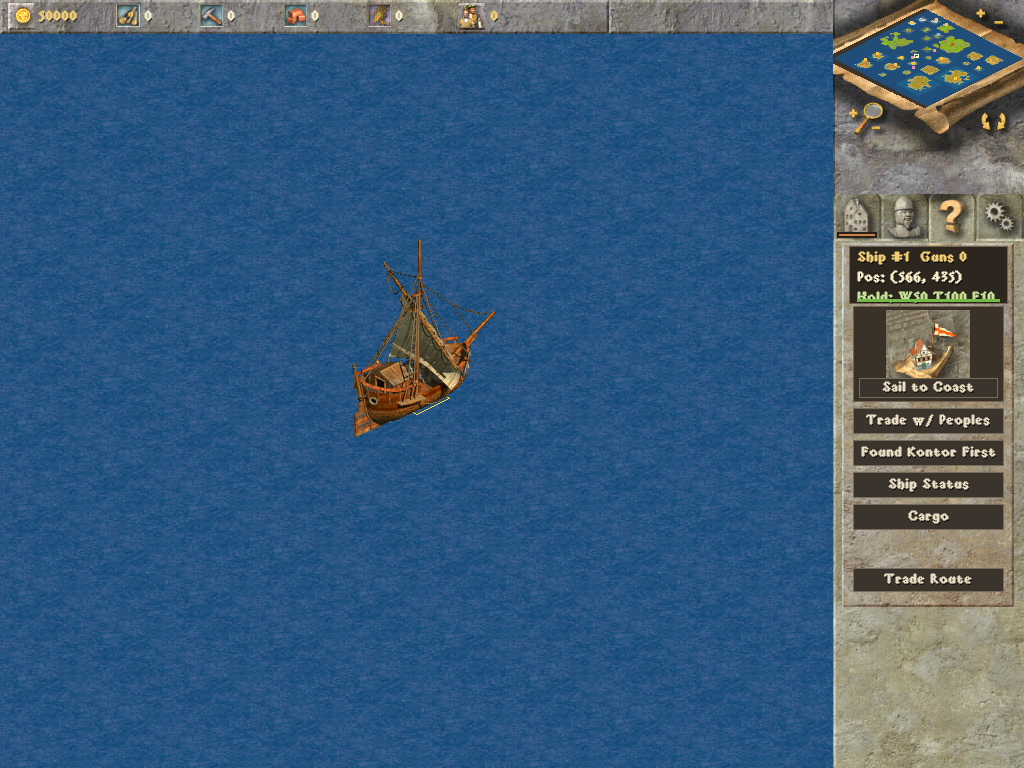
Open-ocean start in Baron 1P/3AI endless. Treasury starts at 50000, surface island stockpiles remain 0 until a Kontor is founded, and construction supplies wait inside Ship #1's hold.
- Authentic Pause & Options chrome: Pressing
PorEscdims the live ocean and islands underneath and raises theToolGfxparchment-scrollPausedmodal with wooden plank buttons, the active scenario subtitle (Baron), andResume,Save,Load,Speed,Main menu,Objectives, andOptionsactions. EnteringOptionsfrom a paused game now returns cleanly back to the Pause scroll rather than kicking out to the title screen.
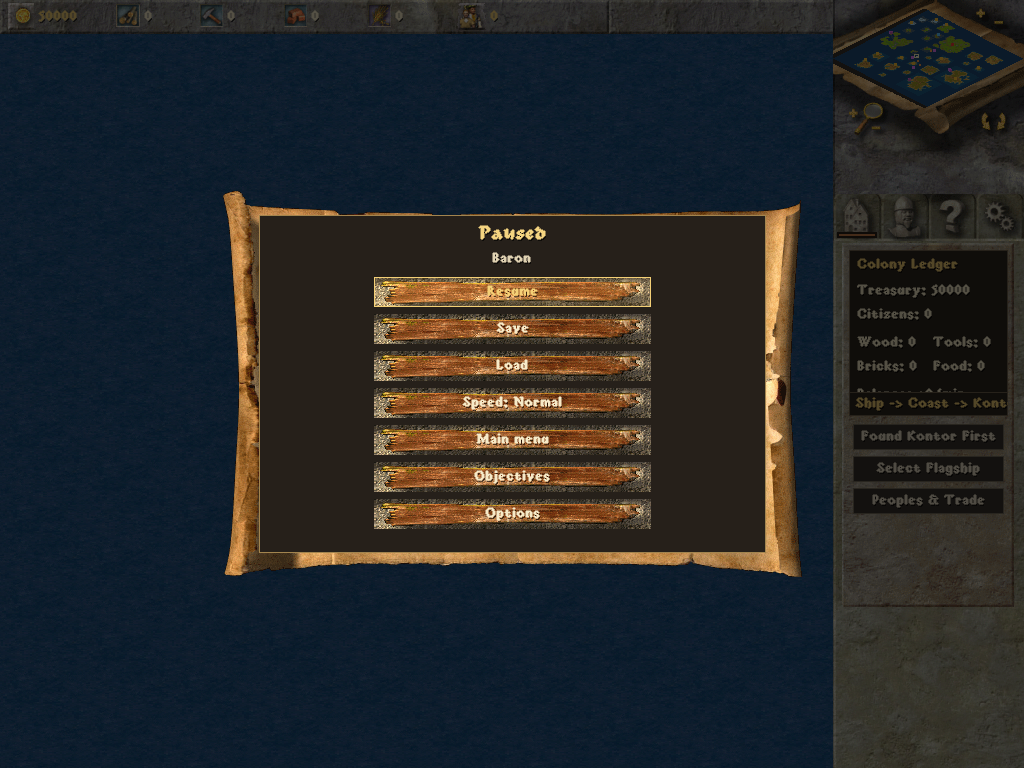
In-game Paused parchment scroll in isleforge, with the active scenario subtitle (Baron) and direct access to Options without leaving the session.
- Market catchment & territory rules: Kontor and Market buildings now enforce full island-ownership and territory placement rules (
Need Kontor on island,1 Kontor per island,Outside market area, andRival territory) and draw a gold territory border around owned market coverage whenever Build Mode is open or a market hub is selected. - Building info cards & ship cargo unload: Clicking any owned non-scenery building opens its inspection card (showing active/paused status, storage bonus, and upkeep, with right-click to close). When a ship docks at an owned Kontor or harbor, an
Unload Allbutton transfers cargo from the ship's hold directly into the island warehouse up to storage capacity.
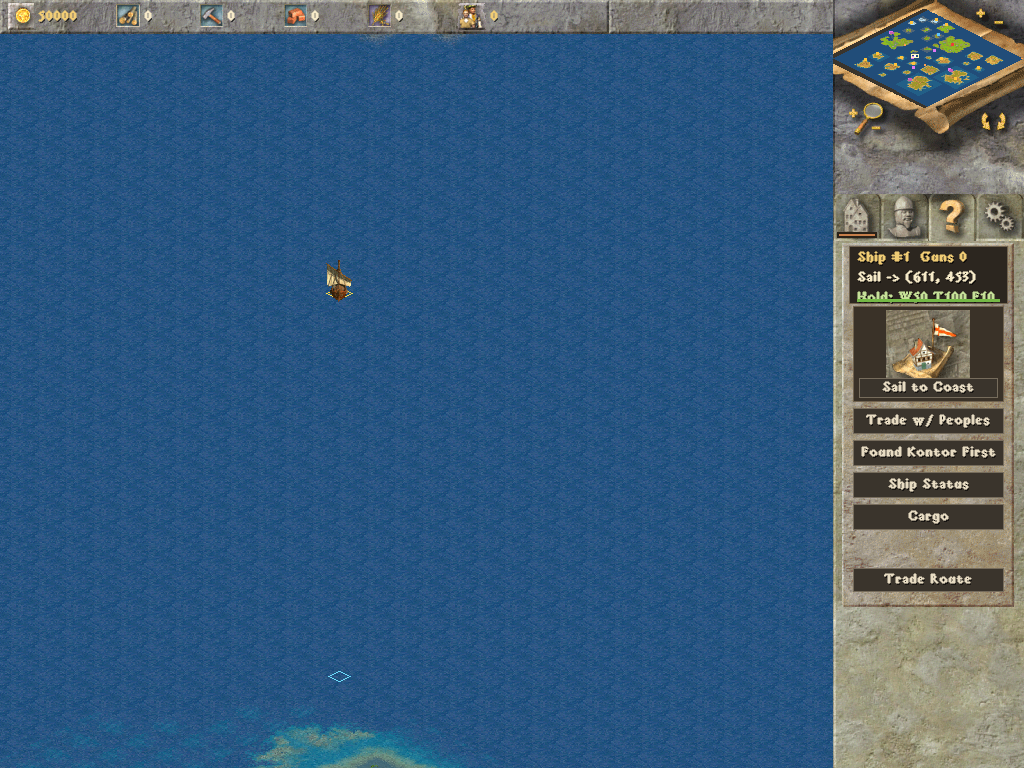 #1 under sail in isleforge RC16 with cyan destination waypoint diamond on open water approaching reef shallows" loading="lazy" style="max-width:100%;border-radius:8px">
Issuing a sail order in RC16 draws the cyan diamond destination marker (Sail -> (611, 453)) and turns the 16-direction Figuren caravel sprite toward the southern island's shallow reef edge.
Automated side-by-side QA with simulated input
To catch subtle feel and UI regressions that unit tests miss, we set up an automated X11 1024×768 harness that boots isleforge headlessly with simulated mouse moves, clicks, right/left drags, wheel steps, and key holds (xdotool), captures screenshots after each action, and checks behavior step-by-step against the original game running in an isolated test harness. (All screenshots published here are clean-room captures rendered strictly by isleforge itself.)
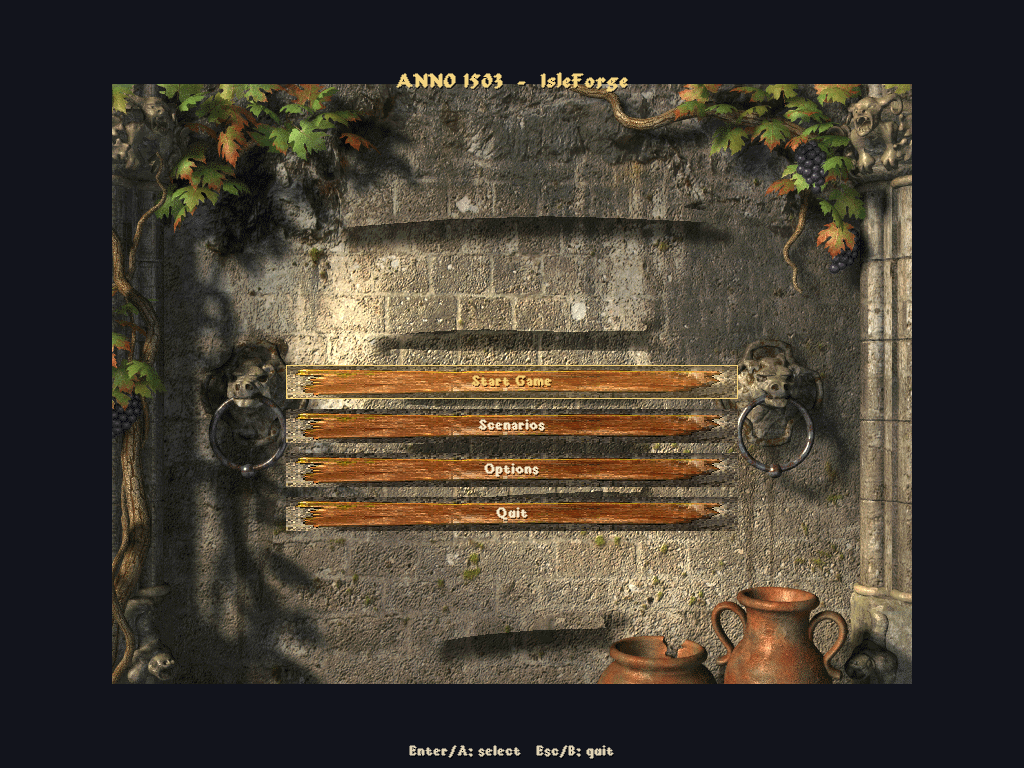
Main menu in isleforge (Start Game, Scenarios, Options, Quit) rendered via native C11 .tex and .zei font decoders.
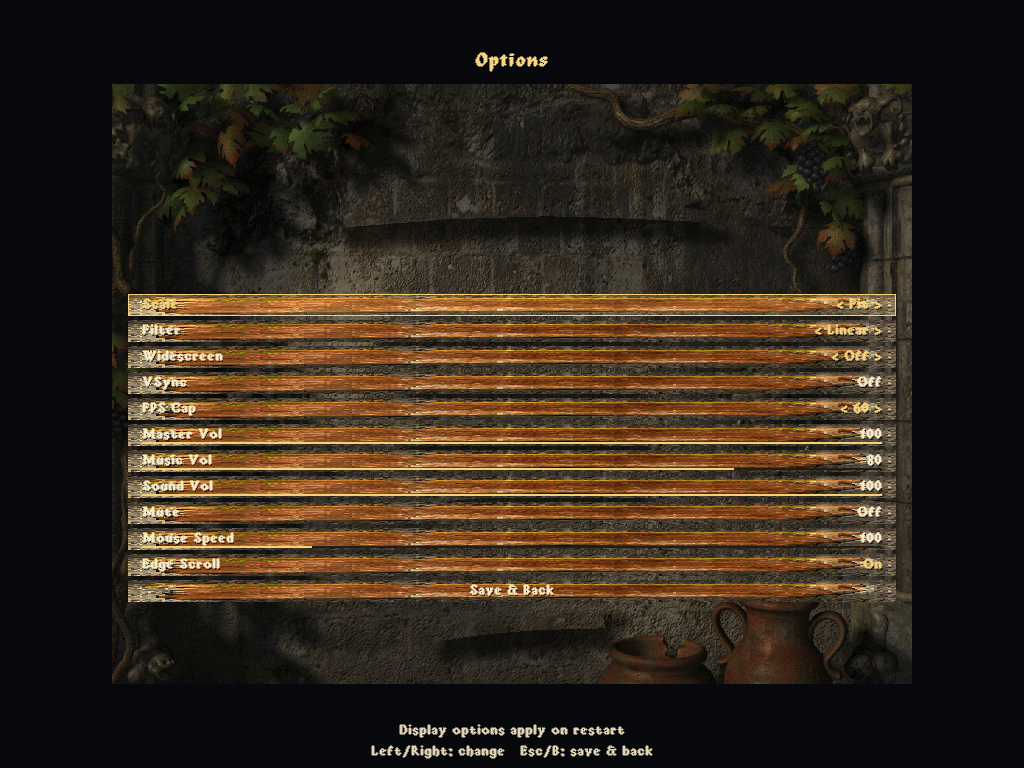
The Options screen reachable from both the main menu and the in-game Pause scroll (Scale, Filter, Widescreen, VSync, FPS Cap, audio sliders, Mouse Speed, and Edge Scroll).
What Round 1 QA uncovered (actively fixing next)
Running the full input-driven comparison script from launch through Endless Baron sailing exposed a concrete list of UX and HUD differences that are now queued for our next fix pass:
- Resource bar placement & order:
isleforgecurrently pins the resource bar along the top-left edge (50000gold and zeroed island stocks before founding). Round 1 confirmed the original layout anchors the resource bar at the bottom-left in the orderGold | Tools | Wood | Bricks | Food | Pop. - Parchment minimap fog-of-war style: In the top-right
WELTKARTEminimap,isleforgecurrently reveals every island across the entire archipelago immediately at start instead of masking unexplored ocean and coastlines behind the original parchment fog-of-war shading. - Camera & mouse input parity: We are tightening right-click drag panning, clarifying left-click deselection vs. issuing a ship sail order, and matching arrow-key and screen-edge scroll behavior across both active and paused states.
- Pause (
Pparchment scroll) vs. in-sidebar Gears menu: PressingPopens the centered parchment Pause modal, whereas clicking the right-sidebar Gears icon needs its own dedicated in-sidebar menu (Overview/Save/Load/Audio/Display/Exit) instead of sharing the same modal flow. - Default zoom & starting selection: Aligning the initial camera zoom level and default ship selection on Endless start so the opening frame and immediate controls match muscle memory.
- Right-sidebar overlap fixes: Round 1 captures made two layout collisions obvious right on the right-hand panel — the green ship status bar cuts across
Hold: W50 T100 F10, and in the un-selected ledger view the bottomColony Ledgerbalance line crowds theShip -> Coast -> Kontlock banner. - Grouped
"Choose game"scenario picker: Instead of presenting all scenarios in a single long flat list (Citizen 1P/2AIthroughGenesis 1P/2AI), we are grouping the scenario browser into the classicChoose gamecategories.
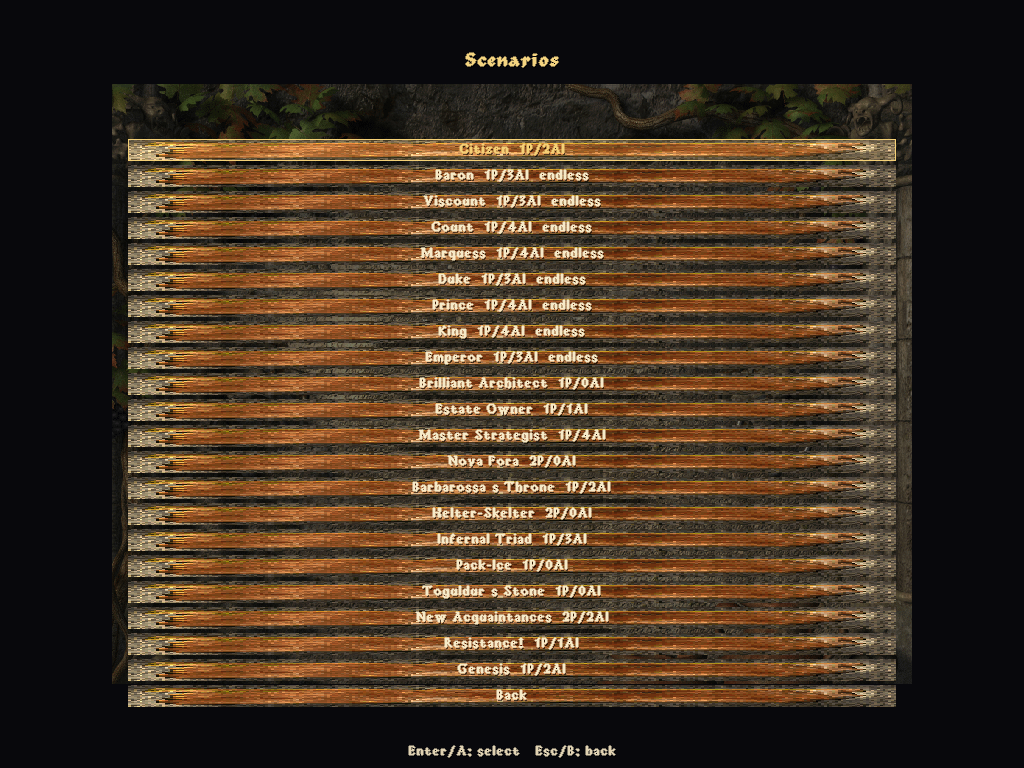
Current flat scenario selector (Scenarios) captured during Round 1 QA — slated to become a grouped Choose game picker.
Next steps
Round 1 did its job: the core open-ocean start, Kontor territory gating, ship sailing, cargo unloading, and parchment Pause/Options loop are all live and testable in C11, and we now have an exact visual and input checklist to bring the HUD layout, minimap fog-of-war, camera controls, and scenario picker into parity. Check the Anno 1503 port page for installation instructions against your own legal copy of the game.