
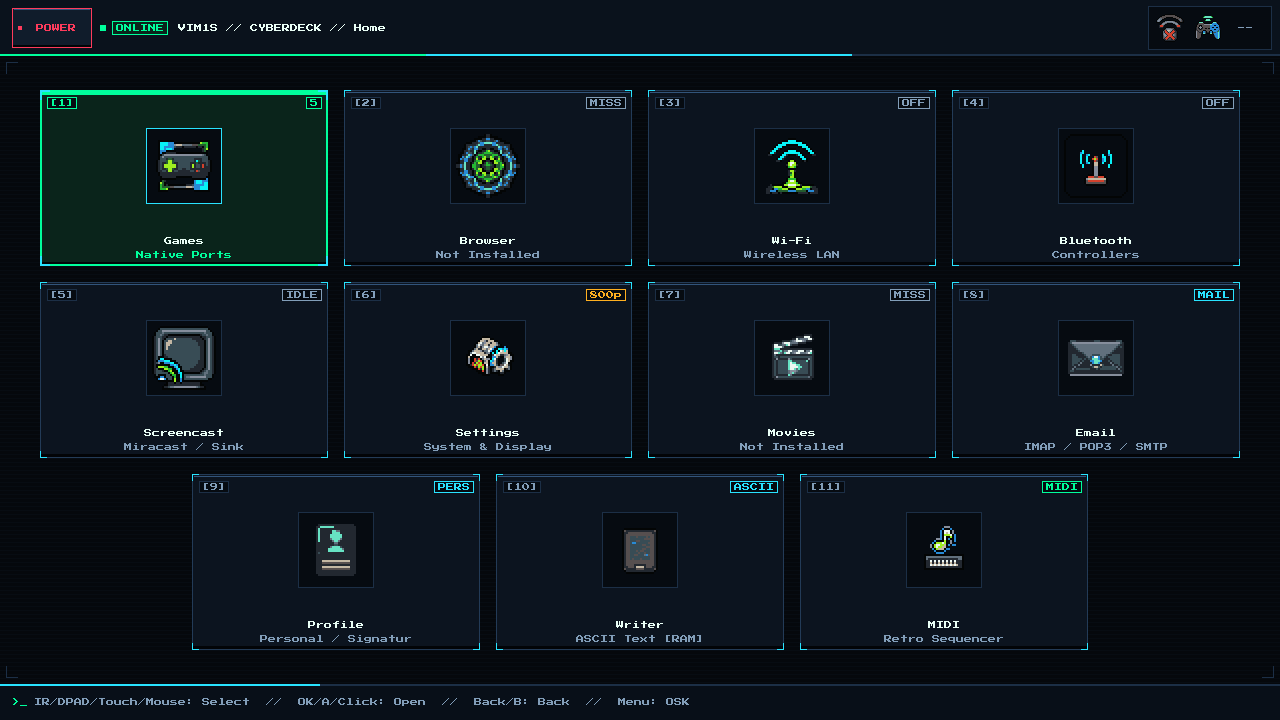
VIM1S Wi-Fi — Dual-Band 2.4 GHz & 5 GHz (AP6256) Wireless Setup & SD Persistence Guide
Easy Wireless Networking on Khadas VIM1S (2.4 GHz & 5 GHz)
The Khadas VIM1S features an onboard Ampak AP6256 (Broadcom BCM43456) dual-band 2.4 GHz / 5 GHz 802.11ac Wi-Fi module with an internal IPEX/U.FL antenna — plus automatic plug-and-play support if you attach an external USB Wi-Fi adapter.
On the Khadas VIM1S 32 MB SPI RAM-OS, Wi-Fi firmware loads asynchronously in Stage 2 in the background while you are already navigating the home screen (0.89 s Linux-to-UI!), so wireless networking never slows down boot time!
Step-by-Step Beginner Guide: Connecting to Wi-Fi
- Open
[4] Wi-Fion the Home Screen: VIM1S immediately scans nearby2.4 GHzand5 GHznetworks (wlan0) and lists them sorted by signal strength. - Pick Your Router SSID: Move with your gamepad D-pad, IR remote, keyboard, or touch screen and press
A/OK/Enter. - Enter Your Wi-Fi Password:
- If you don't have a physical keyboard plugged in, the built-in On-Screen Keyboard (OSK) pops up automatically (
Shiftfor uppercase,?123for numbers and symbols).
- Automatic Reconnect & Local Clock Sync:
- Once connected, the top-right status bar lights up with Wi-Fi signal bars, and
/usr/sbin/vim1s-timesyncautomatically syncs the live local time and date in RAM! - If a microSD card is inserted,
storage-mount wifi_savestores your encryptedwpa_supplicantconfig (chmod 0600) atomically on/mnt/saves/wifi.confso your VIM1S reconnects automatically on future boots — with zero writes to SPI NOR or eMMC!
Frequently Asked Questions (Beginner FAQ)
- Why does
5 GHzWi-Fi feel so rock-solid on VIM1S Console OS?
Our OS tunes brcmfmac (feature_disable=0x82000 and roamoff=1) specifically for the AP6256 chip, preventing background roam drops while using VIM1S Browser, VIM1S Email, or VIM1S ZCode.
Explore All Khadas VIM1S Programs — Beginner Guides
Every built-in application on the Khadas VIM1S 32 MB SPI RAM-OS runs 100% in LPDDR4 RAM with zero writes to the internal SPI NOR or eMMC chips. Everything you save is written exclusively and atomically to your removable microSD card:
- Khadas VIM1S Console OS Hub & Downloads — Download the
32 MBSPI RAM-OS (9.78 sboot), USB/eMMC image, and step-by-step flashing guide. - VIM1S Retro MIDI Studio — Visual note-based MIDI music editor & chiptune/FM synthesizer with
.mid,.wav,.mml, and.abcmicroSD export. - VIM1S Pure-ASCII Writer — Distraction-free plain-text word processor with Word-style toolbar buttons (no Markdown needed!) and
.txt,.asc,.nfomicroSD export. - VIM1S Games & Couch Launcher — Play retro ROMs and native 64-bit ARM64 strategy ports straight from RAM with crash-safe microSD savegames.
- VIM1S Movies — Hardware AV1 Player — Silent, zero-CPU
1080p60hardware video player forAV1,HEVC/H.265,VP9, andH.264movies on microSD. - VIM1S Email Client — Fast, tracking-free plain-text
IMAP / POP3 / SMTPTLS mail client with attachments and optional AI reply drafting. - VIM1S Personal Profile — Offline microSD identity and automatic signature manager with zero cloud accounts.
- VIM1S Web Browser — RAM-isolated Firefox ESR with hardware
AV1streaming, PDF reader, and couch bookmark tiles. - VIM1S Root Terminal — Built-in Wayland Linux command-line shell with a persistent microSD developer toolchain.
- VIM1S Wi-Fi Setup — Dual-band
2.4 GHz / 5 GHz(AP6256) wireless setup with encrypted0600microSD credential persistence. - VIM1S Bluetooth Pairing — Pair
Bluetooth 5.0gamepads, keyboards, and speakers in seconds. - VIM1S Wireless Screencast — Turn your TV into a low-latency Miracast wireless display receiver for phones and laptops.
- VIM1S Settings & 10 Cyberdeck Themes — Switch
1080p / 720pHDMI modes, HDMI audio, 10 CRT colour palettes, and home screen cards.